5 Star! Awesome app 💯👍🏼 Easy to use. Thank you for this.
Download a free VPN for Windows PC
AdGuard’s free VPN protects your privacy, hides your IP address, and blocks ads. Start with 3 GB of fast traffic — no credit card needed. Download the app for Windows 10 and 11



Why use our free VPN on a Windows PC
Browse without worries at a café, hotel, or airport — no one can see what you do online. Change your location to find the best deals. Block ads and trackers in browsers with the built-in DNS protection
3 GB for free each month
Start with 3 GB of fast and free VPN traffic. Need more? Upgrade to browse without speed limits and connect to any of the 75+ locations
TrustTunnel VPN protocol
AdGuard VPN uses its own open-source TrustTunnel protocol. It keeps your traffic private and your connection fast. The code is open for anyone to review
No-logging policy
AdGuard’s free VPN for Windows doesn’t log your online activity. Browse privately — no one can see what you do online
App and website exclusions
Use the VPN only where you need it. Choose which websites and apps go through the VPN, and which don’t
How to download and install the free VPN on Windows

Get AdGuard VPN
Download it from our website or the Microsoft Store
Install
Follow the onscreen instructions to install the app on your PC or laptop
Log in
If you don’t have an AdGuard account, create one in a few clicks
Connect
Choose a location or connect to the suggested one. Your traffic is encrypted and your IP address is hidden
What laptop or computer works with our free VPN
AdGuard’s free desktop VPN works with most laptops and computers on Windows. We recommend checking the requirements to make sure it works correctly
- System version: Windows 8 or newer
- Architecture: 32-bit and 64-bit versions
- Free disk space: 250 MB
For installation on Windows 7, go to our Knowledge base

Double your protection with an ad blocker
AdGuard VPN works alongside the AdGuard Ad Blocker on Windows. Use both to browse anonymously, block ads, and remove trackers in all apps on your Windows PC or laptop. Learn more
What people say about our free VPN for Windows
More than 9000 9,000 app reviews! We love our users and they love us back
Stabe and have many usable features.
I just downloaded and it works OK, but the free version is 3GB/mo which isn't much for video…
Doee the job done, Excellent
This is my first time using AdguardVPN and your ad block thanks to the good deals available. It's good price considering the quality. I would love to see more stability of the servers near me (South East Asia). Thank you very much.
Easy to handle and fast operating application.

Thank you! You’ve helped us become a bit better
Failed to send review
Please try again or contact support
Pick a plan that meets your needs
| What’s included | Free | Unlimited |
|---|---|---|
| VPN traffic |
Free
3 GB/mo
|
Unlimited
No limits
|
| Speed |
Free
Limited
|
Unlimited
No limits
|
| Locations |
Free
4
|
Unlimited
75+
|
| Devices |
Free
2
|
Unlimited
10
|
| Customer support |
Free
Regular
|
Unlimited
Priority
|
FAQ about AdGuard’s free VPN for Windows
- AdGuard VPN has a free and a paid version. We offer a free VPN service so you can try it before upgrading. Subscriptions help us improve the product and maintain our servers.
- Yes. The free VPN from AdGuard encrypts your connection and doesn’t keep logs. Our open-source TrustTunnel protocol masks your traffic so it looks like regular browsing.
- Windows lets you add a VPN connection in Settings → Network & internet → VPN, but it doesn’t provide any VPN servers. You need to get a server address and login details from the VPN provider to configure the connection or use a VPN app, such as AdGuard VPN for Windows. There, you only need to select a VPN server and click Connect.
- You can download our free VPN for Windows from the official AdGuard VPN website. Run the installer and follow its instructions. Then open the app and log in to AdGuard or create an account. You can start using AdGuard VPN for free.Alternatively, download the app from the Microsoft Store. It has the same functionality.
- AdGuard, Proton, Express, and a few other companies offer VPN apps for Windows.AdGuard VPN encrypts your connection with AES-256 — a strong encryption standard that makes your data unreadable to others.It runs on the TrustTunnel protocol, which we developed and open-sourced. It provides fast, secure, and reliable VPN connections.AdGuard VPN also has apps for all platforms: Windows, macOS, Android, Android TV, iOS, Linux, and a browser extension.
- The free version provides 3 GB of VPN traffic per month. After you use your 3 GB, the speed goes down, and streaming becomes unavailable.If you need unlimited traffic, try the paid version. With it, you also get access to all 75+ locations, VPN protection for 10 devices at once, and streaming at high speeds without limits.
- Yes. AdGuard’s free VPN for Windows works both on a desktop PC and laptop. It supports Windows 11, 10, 8.1, and 8. There’s no difference in functionality between the devices.If you want to download AdGuard VPN from the Microsoft Store, you need a PC or laptop running on Windows 11 or 10.
- Windows 7 version is no longer supported in the latest releases of AdGuard VPN, so you won’t be able to download it from the official AdGuard VPN website. You can still download an older version, though it will lack some new functionality and latest updates.
- No. AdGuard doesn’t collect or share your data.We don’t store activity or connection logs of our users. We collect minimal information to identify and resolve technical issues. This data cannot be linked to you or your activity.
- Yes. Install both apps and use them at the same time. Together they give you double protection: ad blocking and private browsing.
- The free version lets you try AdGuard VPN. Here’s what you get:3 GB of traffic each month4 server locationsUp to 2 devices at onceAfter you use your 3 GB, the speed goes down. Images, videos, and games will take a long time to load.If you want to use AdGuard VPN without restrictions, try the paid version:Unlimited dataNo speed limit75+ locationsUp to 10 devices at onceStreaming support
Server locations
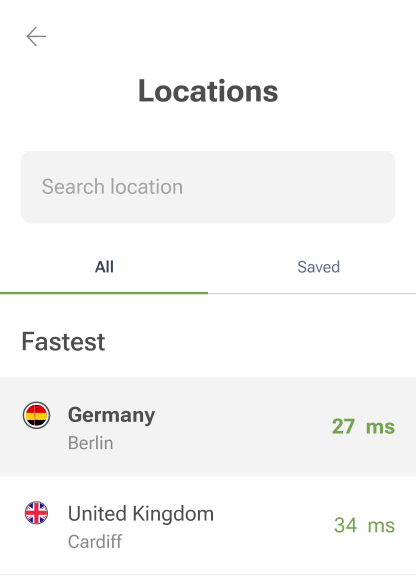
Check out the list of all available VPN servers you can connect to. We are constantly adding new locations and updating the server list. Keep in mind that the further away a server is from you, the longer it usually takes to respond
- Dubai
- Tirana (Coming soon)
- Buenos Aires
- Vienna
- Sydney
- Brussels
- Sofia
- São Paulo
- Vancouver Montreal Toronto
- Zurich
- Santiago
- Bogota
- Nicosia
- Prague
- Frankfurt Berlin
- Copenhagen
- Quito (Coming soon)
- Tallinn
- Cairo
- Barcelona Madrid
- Helsinki
- Paris Marseille
- Manchester London
- Athens
- Hong Kong
- Zagreb
- Budapest
- Dublin
- Tel Aviv
- Mumbai
- Palermo Rome Milan
- Tokyo
- Phnom Penh
- Seoul
- Vilnius
- Luxembourg
- Riga
- Mexico City
- Kuala Lumpur (Coming soon)
- Amsterdam
- Oslo
- Auckland
- Manila
- Karachi (Coming soon)
- Warsaw
- Lisbon
- Bucharest
- Belgrade
- Moscow
- Riyadh (Coming soon)
- Stockholm
- Singapore
- Bratislava
- Istanbul
- Taipei
- Kyiv
- Boston Las Vegas Seattle Dallas Phoenix Los Angeles Denver Silicon Valley Atlanta New York Miami Chicago
- Hanoi
- Johannesburg
Free VPN for Windows
AdGuard VPN for Windows works with any browser or app, so your data stays private. It removes ads and trackers thanks to the built-in DNS protection
AdGuard VPN for Mac
In just two clicks, select a city from anywhere in the world — we have 75+ locations — and your data is invisible to prying eyes.

AdGuard VPN for Android
AdGuard VPN for Android offers dozens of fast locations. Browse with more privacy on the go. Block ads and trackers with the built-in DNS protection
Learn more





AdGuard VPN for iOS
Protect your privacy and stream your favorite shows anonymously with AdGuard VPN for iOS. Block ads with the built-in DNS protection
Learn more





AdGuard VPN for Android TV
Discover AdGuard VPN for Android TV! Enjoy seamless streaming, enhanced security, and easy setup.

AdGuard VPN for Chrome
AdGuard VPN for Edge
AdGuard VPN for Firefox
AdGuard VPN for Opera
Hide your true location and emerge from another place in the world — access any content without speed limits and preserve your web anonymity.
Get to a different location in one click, hide your IP, and make your web surfing safe and anonymous.
Protect your privacy, hide your real location, and decide to where you need the VPN and where you don't!
Be a ninja in your Opera browser: move quickly to any part of the world and remain unnoticed.
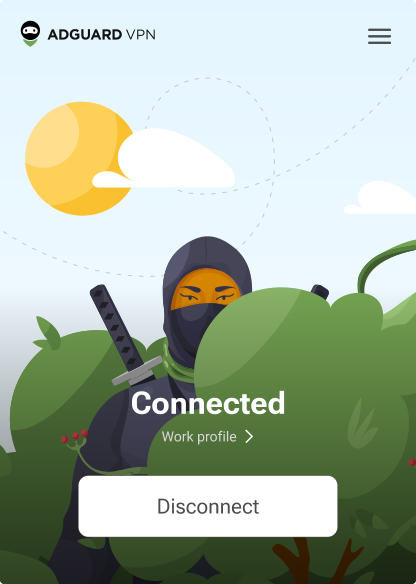
AdGuard VPN for routers
Install AdGuard VPN on your router to secure your entire network. Decide which devices to protect and when
This option is only available with an AdGuard VPN subscription

AdGuard VPN for Linux
Get the best free VPN for Linux and enjoy seamless web browsing, enhanced security, Internet traffic encryption, and DNS leak protection. Choose from multiple VPN servers and access the locations you want

AdGuard VPN for Apple TV
Discover AdGuard VPN for Apple TV! Enjoy seamless streaming, enhanced security, and easy setup
This option is only available with an AdGuard VPN subscription

AdGuard VPN for Xbox
Protect your Xbox with AdGuard VPN and enjoy seamless online gaming, enhanced security, and easy setup
This option is only available with an AdGuard VPN subscription

AdGuard VPN for PS4/PS5
Protect your PlayStation with AdGuard VPN and enjoy seamless online gaming, enhanced security, and easy setup. Choose from multiple VPN servers and access the locations you want
This feature is only available with an AdGuard VPN subscription
This option is only available with an AdGuard VPN subscription

AdGuard VPN for Chromecast
Install AdGuard VPN on your Google TV (Chromecast Gen 4) or on your network router (Chromecast Gen 3) and enjoy streaming content with Chromecast while staying anonymous online and accessing content from anywhere. For Chromecast Gen 3, you need an AdGuard VPN subscription
This option is only available with an AdGuard VPN subscription

AdGuard VPN for mobile
Scan to install AdGuard VPN on your mobile device
AdGuard VPN for mobile
Scan to install AdGuard VPN on your mobile device


