TrustTunnel v1.3: A new Windows app and more ways to manage your servers

TrustTunnel is now available on Windows! Until now, Windows users could connect to TrustTunnel servers through the command-line interface. With version 1.3, they get a dedicated app with a graphical interface, making it much easier to set up and manage connections.

But that's not all. This release also brings several improvements to server management and connection settings across all supported platforms. Let's take a closer look.

TrustTunnel now has a Windows app

Windows users no longer need to rely on the command line to use TrustTunnel. Version 1.3 introduces a full-featured graphical client for Windows 10 and 11, bringing the experience closer to what users already have on iOS, Android, and macOS.

The app comes with a convenient system tray icon, so you can manage your connection without opening the main window. Its tray menu lets you connect or disconnect in just a couple of clicks.

You can also configure the app to start automatically with Windows and enable auto-connect when the application launches. This makes it easier to keep your connection ready whenever you need it.

Easier server management on all platforms

Managing multiple TrustTunnel servers is now more convenient. Version 1.3 introduces two new actions:

  • Duplicate a server: Create a copy of an existing server configuration instead of setting up a similar server from scratch.
  • Share a server: Share a server configuration with another person or transfer it to another device.

These options are particularly useful if you manage several servers or use TrustTunnel on multiple devices. Less repetitive setup means more time for what matters.

More flexible connection settings

We've also added two options that give you more control over how your connections are configured.

TLS fingerprint

You can now select a TLS fingerprint in your server settings. This determines which browser or application profile your connection uses.

Available options include Chrome , Chrome Canary, Safari, Firefox, OkHttp, OpenSSL, and BoringSSL.

This gives you more flexibility when configuring connections for different network environments.

TLS authentication

TrustTunnel now supports TLS authentication through a new Client Random Auth Key field in the server settings.

This hexadecimal key allows the client to authenticate itself to the server during the TLS handshake. You can use either Client Random or Client Random Auth Key for a server configuration, but not both at the same time.

An important note for macOS users

With this release, the minimum supported macOS version is now macOS 13 (Ventura). If you're using an older version of macOS, you won't be able to install or update to TrustTunnel v1.3.

Share your feedback

Have questions, suggestions, or ideas for improving TrustTunnel? We'd love to hear from you! Share your feedback, report issues, or suggest new features on our GitHub Issues page. Your input helps us make TrustTunnel better for everyone.

Liked this post?
9,332 9332 user reviews
Excellent!

AdGuard VPN for Windows

Use any browser or app and never worry about your anonymity again. The entire world is at your fingertips with AdGuard VPN.
Download
By downloading the program you accept the terms of the License agreement
Learn more
AdGuard VPN for Windows v2.10.3
The main screen of AdGuard VPN for Windows with an active VPN connection.
The main screen of AdGuard VPN for Windows showing the disconnected status.
The Exclusions screen with a list of websites that don’t use the VPN.
9,332 9332 user reviews
Excellent!

AdGuard VPN for Mac

In just two clicks, select a city from anywhere in the world — we have 70+ locations — and your data is invisible to prying eyes.
Download
By downloading the program you accept the terms of the License agreement
Learn more
AdGuard VPN for macOS v2.10.2
The main screen of AdGuard VPN for Mac with an active VPN connection.
The main screen of AdGuard VPN for Mac showing the disconnected status.
The Exclusions screen with a list of websites that don’t use the VPN.
9,332 9332 user reviews
Excellent!

AdGuard VPN for Android

AdGuard VPN for Android offers dozens of fast locations. Browse with more privacy on the go. Block ads and trackers with the built-in DNS protection
Learn more
Download
By downloading the program you accept the terms of the License agreement
Google Play
By downloading the program you accept the terms of the License agreement
AdGuard VPN for Android v2.17.2
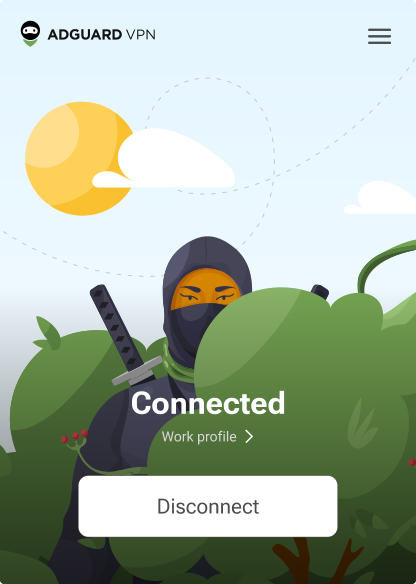
The main screen of AdGuard VPN for Android with an active VPN connection.
The main screen of AdGuard VPN for Android showing the disconnected status.
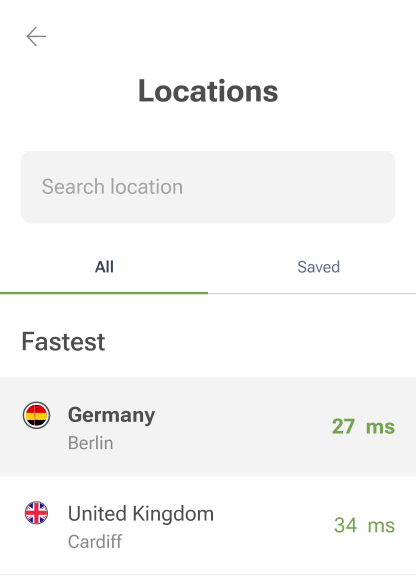
The Locations screen showing the fastest available servers.
The Exclusions screen with a list of websites that don’t use the VPN.
The screen with a QR code to install AdGuard VPN.
9,332 9332 user reviews
Excellent!

AdGuard VPN for iOS

Protect your privacy and stream your favorite shows anonymously with AdGuard VPN for iOS. Block ads with the built-in DNS protection
Learn more
App Store
By downloading the program you accept the terms of the License agreement
AdGuard VPN for iOS v2.17.2
The main screen of AdGuard VPN for iOS with an active VPN connection.
The main screen of AdGuard VPN for iOS showing the disconnected status.
The Locations screen showing the fastest available servers.
The Exclusions screen with a list of websites that don’t use the VPN.
The screen with a QR code to install AdGuard VPN.
9,332 9332 user reviews
Excellent!

AdGuard VPN for Android TV

Discover AdGuard VPN for Android TV! Enjoy seamless streaming, enhanced security, and easy setup.
Download
By downloading the program you accept the terms of the License agreement
Google Play
By downloading the program you accept the terms of the License agreement
Learn more
The main screen of AdGuard VPN for Android TV with an active VPN connection to a server in Helsinki, Finland.
9,332 9332 user reviews
Excellent!

AdGuard VPN for Chrome

AdGuard VPN for Edge

AdGuard VPN for Firefox

AdGuard VPN for Opera

Hide your true location and emerge from another place in the world — access any content without speed limits and preserve your web anonymity.
Get to a different location in one click, hide your IP, and make your web surfing safe and anonymous.
Protect your privacy, hide your real location, and decide to where you need the VPN and where you don't!
Be a ninja in your Opera browser: move quickly to any part of the world and remain unnoticed.
Install
By downloading the program you accept the terms of the License agreement
Learn more
Install
By downloading the program you accept the terms of the License agreement
Learn more
Install
By downloading the program you accept the terms of the License agreement
Learn more
Install
By downloading the program you accept the terms of the License agreement
Learn more
AdGuard VPN Browser Extension v2.12.0.3
The main screen of AdGuard VPN browser extension with an active VPN connection.
The Locations screen showing the fastest available servers.
9,332 9332 user reviews
Excellent!

AdGuard VPN for routers

Install AdGuard VPN on your router to secure your entire network. Decide which devices to protect and when
This option is only available with an AdGuard VPN subscription
A router with a keyhole shield icon.
9,332 9332 user reviews
Excellent!

AdGuard VPN for Linux

Get the best free VPN for Linux and enjoy seamless web browsing, enhanced security, Internet traffic encryption, and DNS leak protection. Choose from multiple VPN servers and access the locations you want
AdGuard VPN’s mascot, Tengu, with the Linux penguin, Tux, sitting in the bushes.
9,332 9332 user reviews
Excellent!

AdGuard VPN for Apple TV

Discover AdGuard VPN for Apple TV! Enjoy seamless streaming, enhanced security, and easy setup
This option is only available with an AdGuard VPN subscription
An Apple TV streaming device with the AdGuard VPN logo.
9,332 9332 user reviews
Excellent!

AdGuard VPN for Xbox

Protect your Xbox with AdGuard VPN and enjoy seamless online gaming, enhanced security, and easy setup
This option is only available with an AdGuard VPN subscription
A Microsoft Xbox console and controller with the AdGuard VPN logo.
9,332 9332 user reviews
Excellent!

AdGuard VPN for PS4/PS5

Protect your PlayStation with AdGuard VPN and enjoy seamless online gaming, enhanced security, and easy setup. Choose from multiple VPN servers and access the locations you want
This feature is only available with an AdGuard VPN subscription
This option is only available with an AdGuard VPN subscription
A Sony PlayStation console and controller with the AdGuard VPN logo.
9,332 9332 user reviews
Excellent!

AdGuard VPN for Chromecast

Install AdGuard VPN on your Google TV (Chromecast Gen 4) or on your network router (Chromecast Gen 3) and enjoy streaming content with Chromecast while staying anonymous online and accessing content from anywhere. For Chromecast Gen 3, you need an AdGuard VPN subscription
This option is only available with an AdGuard VPN subscription
A Google Chromecast streaming device with a keyhole shield icon.
AdGuard VPN
download has started
Click the button indicated by the arrow to start the installation.
Scan to install AdGuard VPN on your mobile device
The screen with a QR code to install AdGuard VPN.