White-label VPN and VPN SDK: how to choose a provider
Demand for private and secure internet access keeps growing across consumer and business markets. To meet that demand, software vendors, device makers, telecoms, and managed service providers keep launching branded VPN products to meet that demand. Most of them do it on someone else’s infrastructure. A white-label VPN, or a VPN software development kit (SDK) integrated into an existing product gets you to market in weeks instead of the year or more that a custom VPN stack takes.
The quality of providers varies greatly. Some platforms deliver stable infrastructure, enforced security defaults, and genuine brand control. Others cut corners on encryption, overload shared servers, or lock partners into rigid pricing. At AdGuard we work with partners as affiliates, as resellers, and as technology partners on our own VPN SDK, and this guide is built on what those partners ask before they sign. It gives you a repeatable framework for evaluating white-label VPN providers and VPN SDKs: what to check in infrastructure, security, branding, user management, and monetization before you commit your brand to a third-party backend.
What is a white-label VPN?
A white-label VPN is a VPN service that a company rebrands and sells as its own. The provider supplies the server network, the connection technology, and the tools to manage users. The partner supplies the brand, sets the prices, and owns the customer relationship. You do not build the backend. You rent it and put your name on the front.
How it works
The model splits responsibilities cleanly. The provider handles the technical stack:
- Global server infrastructure and capacity
- The VPN protocol, encryption, and security defaults such as a kill switch
- Client software, either as ready-made apps or as an SDK your team builds on
- Provisioning, usage reporting, and updates to the core
The partner handles the business layer:
- Branding: app name, icon, colors, and store listings
- Pricing tiers and subscription rules
- Marketing, sales, and first-line customer support
- The end-user relationship and billing
There are two ways to integrate. Some providers hand you their existing apps to rebrand. Others give you a VPN SDK and an application programming interface (API), and your team builds the VPN into your own product. The first path is faster if you have no developers. The second gives you a product that looks and behaves like yours.
What is a VPN SDK
A VPN SDK is a set of libraries, documentation, and sample code that lets your developers add VPN connectivity to your own application. Instead of shipping a rebranded third-party app, you embed the provider’s VPN engine inside the app you already have, with your own interface, your own login, and your own subscription logic.
A good VPN SDK typically gives you:
- Client libraries for each platform you ship on, with a documented API to connect, disconnect, switch locations, and read connection state
- A server-side API to provision user access, usually as tokens or keys generated from your backend
- Usage reporting per user, so you can bill and manage tiers
- Sample apps that show a working integration end to end
- Security features exposed as settings: kill switch, exclusions, custom DNS, and encryption options
The VPN SDK route makes sense when the VPN is a feature inside a bigger product, when your users already have an account with you, or when brand consistency matters more than launch speed. It requires a development team, but it removes the “generic app with our logo” problem that undermines many white-label launches.
White-label VPN or VPN SDK: which integration path fits
Both paths end with a VPN under your brand. They differ in how much you control and how much you build.
| Rebranded provider app | VPN SDK integration | |
|---|---|---|
| What you ship | The provider’s app with your name and colors | Your own app with the provider’s VPN engine inside |
| Development needed | Little or none | A mobile or desktop developer for the integration |
| Brand control | Limited to what the provider lets you change | Full: interface, onboarding, account system, and billing |
| Time to launch | Days to a few weeks | Weeks, depending on your team |
| Best fit | Companies with no developers who want a standalone VPN product | Software vendors, device makers, and carriers adding VPN to an existing product |
If you already have a product and users, the VPN SDK path is almost always the better long-term choice.
White label, reseller, or affiliate: which model do you need
Affiliate, reseller, and white label all let you earn from someone else’s VPN technology. They differ in what you sell, what you invest, and who owns the customer.
| Affiliate | Reseller | White label (technology partner) | |
|---|---|---|---|
| What you sell | The provider’s product, through your links or coupon codes | The provider’s product, as licenses you buy and resell | Your own branded product, built on the provider’s technology |
| Investment | None | The cost of your first order. For AdGuard app licenses the minimum order is 50 licenses. AdGuard DNS is offered at a flat 40% off the recommended retail price (RRP) with a minimum of one subscription | Setup fee and usage-based pricing, agreed individually |
| Technical requirements | None | Low: license generation through a dashboard or an API | SDK or API integration |
| Customer ownership | None. Customers belong to the provider | Yours: you sell, invoice, and support | Full: your brand, your users, and your billing |
| Branding | The provider’s brand | The provider’s brand, your pricing | Your own brand |
| Income type | Commission on sales and renewals | Margin between wholesale and retail, repeated on every renewal | Margin on your own pricing |
| Best fit | Bloggers, review sites, YouTube channels, newsletters, and communities | Software distributors, IT companies, managed service providers, system integrators, hosting and telecom resellers | Software vendors, device makers, and carriers building a branded product |
When a white-label VPN makes sense
Four scenarios where renting infrastructure beats building your own.
Managed service provider (MSP) expanding a service bundle. An MSP can bundle branded VPN access into existing remote-work or endpoint-protection packages, turning a flat managed-services contract into a higher-margin recurring line. VPN seats carry low support cost per seat and renew close to full price, which makes them a natural anchor for a privacy offering.
Software as a service (SaaS) product adding VPN as a premium feature. Users expect privacy and safe access inside the tools they already pay for. A VPN SDK integrates so users log in with the same account, the interface matches the rest of the product, and billing runs through the existing subscription. Price it as a higher tier or an add-on, not a separate product.
Telecom or hosting provider monetizing an existing base. Internet service providers (ISPs), mobile operators, and hosting resellers already own subscriber relationships and billing. Bundling a branded VPN adds a few dollars of monthly revenue per opt-in user with almost no added infrastructure cost, and the provider’s servers carry the load.
Brand with an audience launching a privacy product. Creators, communities, and security-focused brands have distribution and trust. What they may lack is a VPN backend. A white-label launch or an SDK integration lets them ship branded apps across iOS, Android, Windows, and macOS while the provider handles servers, protocol, and updates.
How to choose a white-label VPN provider: eight criteria
Eight things separate a provider you can build on from one you will regret. The thread through all of them is control: how much of your product, your data, and your customer relationship you actually own.
1. Infrastructure: server network, locations, uptime, and SLA
Infrastructure is invisible during a pilot. It becomes the product once real usage hits. When routing gets inconsistent and latency rises, users lose trust and churn. They will not blame “the underlying provider.” They will blame you.
Ask specific questions. How many server locations are available? Is capacity redundant for traffic spikes? Are servers owned, leased, or virtualized? What do uptime history and incident response look like in practice? Shared environments and oversold capacity look fine until peak hours.
Push for a written uptime commitment in the service level agreement (SLA) with a real credit schedule, and clarity on whether you get notified before your users do.
2. Protocol and security: encryption, kill switch, and no-logs
The protocol question is not “which of the well-known protocols do you support.” It is “does your protocol work where my users are?” Standard protocols are easy to identify and throttle or block on restrictive networks: corporate Wi-Fi, some mobile carriers, and entire countries. A provider whose protocol disguises VPN traffic as ordinary browser traffic will keep users connected in places where a textbook implementation fails.
Beyond the protocol, baseline items should be native and consistent: modern encryption, a kill switch that behaves correctly and does not fail silently, Domain Name System (DNS) queries handled inside the tunnel, and safe handling of network changes such as Wi-Fi hops and sleep and wake cycles.
On logging, understand exactly what the provider stores. Ask whether connection timestamps, session duration, per-session traffic, or user identifiers are kept anywhere, and for how long. Ask whether the provider has independent verification of its no-logs policy and whether it covers the white-label build. A policy statement is not the same as a documented architecture.
3. Customization depth and brand isolation
White labeling is not putting a logo on someone else’s app. Users notice when something is generic: third-party identifiers in the interface, mismatched password-reset emails, or store listings that do not look like the rest of your product. Those gaps show up as lower conversion and higher refunds.
Check what you can brand end to end: mobile and desktop apps, onboarding, the connection experience, subscription tiers, and pricing. A VPN SDK gives you the most control here because the interface is yours by definition.
For multi-tenant platforms the bar is higher: per-tenant branding at the app and API layer, isolated credentials and session boundaries per tenant, usage-based billing scoped per tenant. Provisioning and offboarding should run through the same API for every tenant, not manual setup per customer.
4. Platform coverage and SDK or API integration
Users expect the same experience on a phone, a laptop, and a desktop. If you are rebranding provider apps, they should be production-ready and regularly updated on every platform you sell on.
If you are embedding VPN into an existing product, the VPN SDK itself is the deciding factor. Ask which platforms the SDK actually ships for, whether there are working sample apps for each, and how complete the documentation is. A provider that lists a platform on a slide but has no sample app and no documentation for it will cost you weeks. Check that the API lets your backend provision users, read usage, and manage tiers without manual steps.
5. Customer data ownership and billing control
Ownership, not encryption, is the real difference between white label and a regular VPN. A white-label VPN and a regular VPN can run the same technology. What changes is who owns the brand, the billing, and the customer data.
In a properly structured white-label deal, you own the customer data and the support tickets tied to it. Referring users to an external VPN instead creates a compliance gap: that provider becomes an uncontracted data processor under the General Data Protection Regulation (GDPR), with no data processing agreement in place.
Billing should run through your system, not the provider’s. If you bundle VPN with other privacy products, a single per-seat billing model across all modules keeps expansion revenue inside one relationship.
6. Pricing transparency
Pricing structure can make or break long-term profitability. Some providers offer low entry pricing and then add fees for bandwidth, user growth, or technical support.
Three variables matter: setup or deposit cost, per-user monthly cost, and what is actually bundled: protocol features, server locations, platforms, and API access. These trade off against each other. A provider with a low per-user rate might charge a steep deposit. Another might waive the deposit but charge a flat rate that never drops as you scale.
Two questions to ask directly. First, what is the billing unit: per active user or per device? A user on a phone, a laptop, and a tablet can triple your cost under a per-device model. Second, is bandwidth billed separately? Some providers charge per gigabyte on top of the per-user rate, which turns streaming-heavy users into a margin problem.
7. Support, SLA, and account management
Downtime under your brand is your outage. You need an uptime commitment with a stated remedy, a clear escalation path, and defined response times.
Clarify who owns second-line and third-line support. In most white label and SDK arrangements, the partner handles first-line support for end users and the provider handles technical escalations and integration questions. Get that division in writing, along with response times.
8. Vendor lock-in and migration terms
Switching VPN providers later is a real risk. Before signing, ask: can we migrate users to another provider without rebuilding billing and onboarding? Can we take our customer data with us? What happens to app store listings if we leave?
An SDK-based integration is usually easier to migrate than a rebranded provider app, because the app, the account system, and the store listings are yours. The VPN engine is the part you swap.
White-label VPN pricing: what to expect
White-label VPN pricing usually combines a one-time setup fee with an ongoing licensing model. The setup fee covers onboarding, integration support, and sometimes an initial batch of user accounts. The ongoing cost follows one of three models, and that choice determines how your costs scale.
The three pricing models
Per active user. You pay a wholesale rate for every user who is active during a billing period, with volume tiers that lower the rate as you grow. This model scales linearly with your customer base and keeps unit economics predictable.
Revenue share. The provider takes a percentage of your retail price on every subscription, often combined with a per-user floor so the provider is protected if you price very low. Revenue share aligns incentives: the provider earns more when you do. Your cost per user is a percentage of your price, not a fixed number.
Flat platform fee plus revenue share. Some providers charge a fixed monthly platform fee on top of a revenue share or a per-user rate. Flat fees make sense once your user base is large enough that a per-user rate would cost more than the platform fee. Below that threshold they are an expensive way to buy predictability.
Setup fees: what you are actually paying for
Most providers charge a one-time onboarding or setup fee. The critical question is whether it is a sunk cost or a prepayment that converts into usable credit. A fee that disappears into “activation costs” is very different from one that becomes your first several hundred live user accounts. Ask directly, and ask whether the fee is negotiable at your expected volume.
What is included varies as much as the fee. A base package typically covers the SDK or branded apps, a shared server network, the standard protocol and encryption, and API access. Kill switch, split tunneling, dedicated IP addresses, and premium locations sometimes carry per-feature fees. Two providers with the same headline rate can differ a lot once you compare inclusion lists.
Unit economics: a concrete example
Say you launch at $10 per month retail on a per-active-user wholesale rate of $2.00, with a $2,000 setup fee.
At 100 users:
- Monthly revenue: $1,000
- Monthly licensing cost: $200
- Gross margin: 80%
- Setup fee breaks even after 2.5 months
At 1,000 users, on a volume rate of $1.00:
- Monthly revenue: $10,000
- Monthly licensing cost: $1,000
- Gross margin: 90%
Gross margins of 60 to 80% are achievable at scale for a well-run VPN service. The rest of the margin goes to customer acquisition, support (typically 10 to 20% of revenue), payment processing (2 to 3%), and compliance overhead. A small MSP charging $6 per seat on a $4 wholesale cost runs a thin markup around 33%. That is the floor. At volume the math improves, but only if the provider’s per-user rate actually drops as you scale.
What to watch for
Whether the per-user rate actually drops. Flat pricing looks simple early and stops being competitive once you cross a few thousand users. Ask for the volume schedule in writing.
What “included” means. Protocol features, server locations, platforms, and API access are the variables that trade off against each other. A low per-user rate might exclude the platform or feature you assumed was bundled.
Bandwidth. You do not host servers, but some providers bill the data your users tunnel. Ask whether the per-user rate includes unlimited traffic or whether there is a per-gigabyte charge, and plug worst-case usage into your model before you commit.
Questions to ask a provider before you sign
Feature lists tell you what a vendor has. Direct questions tell you what happens when the relationship is tested.
Customer data and ownership
- Who owns the customer data if we terminate? You should own the customer data and the support tickets tied to it.
- What is retained about our users, and for how long? Connection logs, billing records, and support transcripts. A defined retention window protects you from liability after a user cancels.
- Does the API support a true delete that removes personal data? Under GDPR you have one month to comply with erasure requests. Deactivating an account is not deleting it.
SLA and uptime
- What is the written uptime commitment, and what is the remedy if you miss it?
- Who owns second-line and third-line support, and what are the response times?
Brand isolation
- Is branding available at both the app layer and the API layer?
- Are credentials and session boundaries isolated per tenant?
- Will the App Store and Google Play listings belong to our company? If listings stay under the provider’s developer account, you do not control distribution.
Platforms and updates
- Which platforms does the SDK actually ship for, and is there a working sample app for each?
- How are security patches and protocol updates delivered, and what do we have to do on our side?
Pricing and billing
- Is the per-user rate volume-tiered, and what is the schedule?
- What is the billing unit: active user or device?
- Is bandwidth included, or billed per gigabyte?
- Does billing run through our system or yours?
Migration and exit
- What are the data portability and migration terms if we leave?
- Can we move users to another provider without rebuilding billing and onboarding?
Channel conflict
- Will you ever sell this VPN directly to the customers on our client list? A strong answer draws a written line between direct sales and partner accounts. A weak answer talks about “focus on the partner channel” without committing to anything.
Red flags when choosing a provider
Feature lists are marketing. Contracts confirm capabilities. The gap between the two is where partnerships fail a year in.
Opaque pricing with hidden add-on fees. A provider that quotes a flat per-user fee but charges separately for kill switch, split tunneling, dedicated IP addresses, or bandwidth is hiding the real cost. Ask for a written inclusion schedule that governs the contract, not the marketing page.
No trial, demo, or sandbox. If a provider will not let you test the API and a sample app before you commit, you are buying blind. Ask for a sandbox environment with API access and a test account. Providers confident in their platform offer this without hesitation.
No written SLA with a remedy. An uptime target is not an SLA. If the contract mentions 99.9% availability but no credit schedule, no escalation path, and no notification protocol, you have a marketing number.
Provider branding bleeds into the app. Vendor logos in notification trays, provider names in password-reset emails, store listings under the provider’s developer account, or “powered by” strings buried in settings. If branding is not isolated at both the app and API layer, you are reselling a utility with your logo on top.
No data export or migration path. If the provider cannot explain how you export customer accounts, billing records, and support history when you leave, you do not own the customer relationship.
Platform claims without an SDK to back them. A provider that lists routers, TVs, or desktop on a slide but cannot show a documented SDK and a sample app for that platform will not ship on your timeline. Ask to see the SDK package before you plan a roadmap around it.
Channel conflict left unresolved. If the provider will not put channel protection in writing, you might be building their customer base, not yours.
AdGuard white-label VPN SDK
AdGuard has been building ad-blocking and privacy software since 2009 and serves more than 160 million users. The AdGuard VPN SDK is our technology-partner route for companies that want a fully branded VPN service under their own name: you integrate the SDK into your product, build your interface on top of it, and launch without building the infrastructure. We do not supply ready-made apps to rebrand. The white-label route with AdGuard is always an SDK integration, with sample apps and documentation as the starting point.
What the VPN SDK includes
- Client SDK for Android, iOS, macOS, and Windows, with working sample apps for each platform plus a React Native sample, and full documentation. You build the app; the SDK provides the VPN engine.
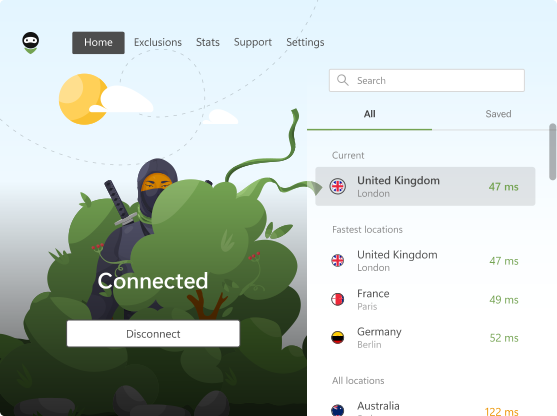
- AdGuard VPN protocol, a proprietary protocol that makes VPN traffic look like regular browser traffic, so connections hold up on networks that throttle or block standard VPN protocols.
- Kill switch that blocks Internet traffic if the VPN connection drops.
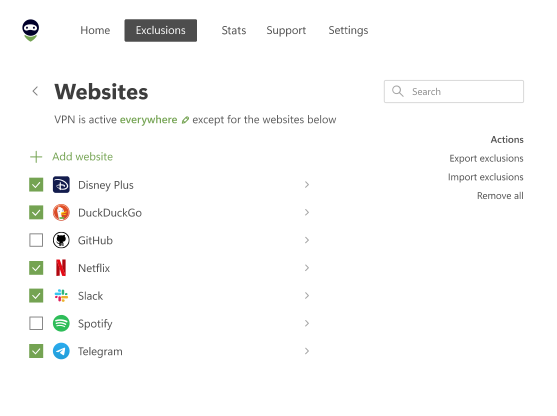
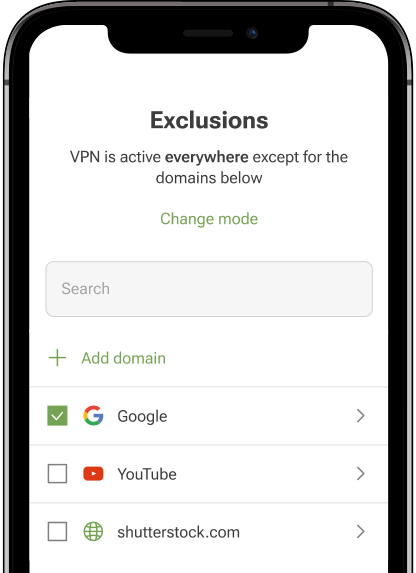
- Exclusions, so users can route selected sites or apps outside the tunnel.
- Custom DNS inside the tunnel with support for encrypted DNS: DNS-over-HTTPS, DNS-over-TLS, and DNS-over-QUIC. You can point users at AdGuard DNS to add ad and tracker blocking on top of the VPN.
- Post-quantum key exchange option in the Transport Layer Security (TLS) handshake, so traffic stays protected against future quantum attacks.
- 85+ server locations on our own network.
- No-logging architecture. We collect no session-level data: no connection timestamps, no per-session traffic records, and no user identifiers.
- Server-side API for provisioning and reporting. Your backend issues access tokens through the API, and reads per-token usage and monthly active users for billing.
Access tiers built into the SDK
Two token types let you run both paid and freemium models from day one:
- Premium access: no limits on bandwidth, speed, or locations, and up to 10 simultaneous devices per user
- Limited access: a free tier with a monthly data allowance, reduced speed after the allowance, and a subset of locations, for freemium funnels and trials
One token corresponds to one end user, so billing stays per user rather than per device.
How pricing works
Pricing is per active user per month and drops with volume. A revenue-share model with a per-user floor is available as an alternative for partners who prefer to align costs with their retail pricing. There are no per-gigabyte bandwidth charges on premium access. Setup fee and minimum commitments are agreed individually, based on the partner’s expected volume.
What each side does
We provide integration support, second-line technical support, and the server network. You provide the app, first-line support for your users, marketing, and billing. Provisioning and usage data run through the API from your backend, so no one on your team needs a separate dashboard to operate the service.
AdGuard Partner Program: three models
Alongside the VPN SDK, the AdGuard Partner Program covers our three products: AdGuard Ad Blocker, AdGuard VPN with support for 10 simultaneous devices, and AdGuard DNS with network-level protection, parental controls, and anti-phishing.
Affiliate. Promote AdGuard products through your links, banners, or coupon codes and earn commission on every sale and on renewals at the same rate: up to 70% on AdGuard Ad Blocker, up to 60% on AdGuard VPN and AdGuard DNS Personal, and up to 40% on AdGuard DNS Team. New affiliates get a Welcome Boost with top-tier rates for their first 30 days. You also get a 365-day cookie window, weekly payouts, and a 5% referral commission on affiliates you bring in, and we handle customer support for your referrals. No upfront investment. Register as an affiliate
Reseller. Buy licenses in bulk and sell to your customers at your own prices. Discounts on app licenses start at 45% for an order of 50 licenses and reach 80% at 10,000 or more. AdGuard DNS is offered at a flat 40% off RRP with a minimum of one subscription. You get the AdGuard Partner Portal to generate license keys and manage orders, API access for automation, and prepaid or postpaid terms. You handle first-line support, and we back you on technical questions. Register as a reseller
White label (technology partner). Integrate the AdGuard VPN SDK to build a fully branded VPN service. You customize the interface, set your own pricing, and own the customer relationship. Requires SDK or API integration. Best for software vendors, device makers, and carriers. Apply as a technology partner
The short version: affiliate is the fastest way to earn from an audience you already have. Reseller is the way to build a customer base of your own under the AdGuard brand. White label is for companies ready to integrate so the product ships under their own brand.
FAQ
What is a white-label VPN?
A white-label VPN is a VPN service that a company rebrands and sells as its own. The provider supplies the server network, protocol, and management tools. The partner supplies the brand, sets the prices, and owns the customer relationship.
What is a VPN SDK?
A VPN SDK is a software development kit that lets your developers embed VPN connectivity into your own application. It includes client libraries for each platform, a server-side API to provision users, usage reporting, and sample apps. You keep your own interface, login, and billing, and the SDK provides the VPN engine.
White-label VPN or VPN SDK: which should I choose?
If you have no developers and want a standalone VPN product quickly, a rebranded provider app is the shortest path. If you already have a product and users, a VPN SDK integration gives you full control over the experience and is easier to migrate later, because the app and the store listings are yours.
Is a white-label VPN safe?
Safety depends on the provider, not on the white-label model. The risks sit in provider selection: shared infrastructure can create shared IP reputation problems, and a no-logs claim is only as strong as the architecture behind it. Ask exactly what is stored, for how long, and whether the provider can show independent verification.
How much does a white-label VPN cost?
Expect two cost layers: a one-time setup fee and ongoing licensing. Ongoing costs follow one of three models: per active user with volume tiers, revenue share with a per-user floor, or a flat platform fee plus revenue share. Ask whether the setup fee converts into usable credit, whether the billing unit is a user or a device, and whether bandwidth is included.
How does VPN SDK pricing usually work?
Most VPN SDK providers bill per monthly active user, with the rate dropping at volume thresholds. Some offer revenue share instead. Check whether there is a free tier for freemium models and whether bandwidth is included in the per-user rate.
What is the difference between a white-label VPN and a VPN reseller program?
A reseller buys licenses wholesale and sells them under the provider’s brand at their own pricing, owning the invoicing and support but not the brand. White label goes further: you integrate via SDK or API and ship the product under your own name. Reseller needs little technical effort. White label needs SDK or API integration.
Do I need my own servers to launch a white-label VPN?
No. In the standard model the provider owns and maintains the server network. You rent access and brand the front end. That is the reason white-label launches take weeks instead of months.
How long does it take to launch a white-label VPN?
Rebranded apps can go live in one to two weeks. A VPN SDK integration typically takes a few weeks, depending on your team and how deeply the VPN is woven into your product. Building a VPN in-house takes six to 18 months.
Can I white label a VPN on iOS and Android with an SDK?
Yes. A VPN SDK gives you client libraries for each mobile platform: your app, your store listing under your developer account, and the provider’s VPN engine inside. Confirm that the provider ships the SDK and a sample app for every platform you plan to support, including desktop if you need it.
Which VPN protocol should a white-label provider use?
There is no single right answer, and support for the well-known protocols is not a quality signal on its own. What matters is whether the protocol keeps users connected on the networks they actually use. Standard protocols are easy to detect and throttle. A protocol that makes VPN traffic look like ordinary browser traffic holds up better on restrictive networks. Beyond the protocol, look for modern encryption, a working kill switch, and DNS handled inside the tunnel.
How do I verify a provider’s no-logs claims?
Ask exactly which data points the provider stores: connection timestamps, IP addresses, session duration, traffic volume, and DNS queries. Ask for the retention period for each. If the provider offers independent verification of its no-logs policy, confirm whether it covers the white-label build, not just the retail product. Data that is never collected cannot leak, so a provider that keeps no session-level records at all is the simplest case to evaluate.
Does a VPN SDK cover routers and smart TVs?
Only if the provider actually ships an SDK build for those platforms. Router and TV support is often listed in marketing but not delivered as a documented SDK. Ask to see the SDK package and a sample for the platform before you plan around it.
What happens if I want to switch white-label providers later?
That depends on what you negotiated before signing. A clean exit covers data portability, a defined migration window, and continuity of your app store listings. If you integrated via SDK, you keep the app and the listings and swap the VPN engine, which is far less disruptive than migrating away from a rebranded provider app.