AdGuard VPN for Mac v2.7: Faster and more stable connection with automatic protocol selection
It’s Mac’s turn — starting with this version, AdGuard VPN for Mac introduces dynamic protocol selection. From now on, the app will determine which protocol works best in your current network conditions, providing you with a faster and more stable connection without you having to change a single setting.
Why protocol choice matters
At the heart of every VPN session lies a protocol, and it plays a big role in performance. AdGuard VPN supports two modern options: HTTP2-over-TLS and HTTP3-over-QUIC. Depending on your network, location, and server choice, one may work better than the other.
Until now, the app often defaulted to QUIC, even when HTTP2/TLS would have delivered better performance. This sometimes resulted in slower speeds or less reliable connections.
Automatic protocol selection
With this update, AdGuard VPN analyzes your network conditions and automatically selects the protocol — HTTP2/TLS or HTTP3/QUIC — that ensures the best performance.
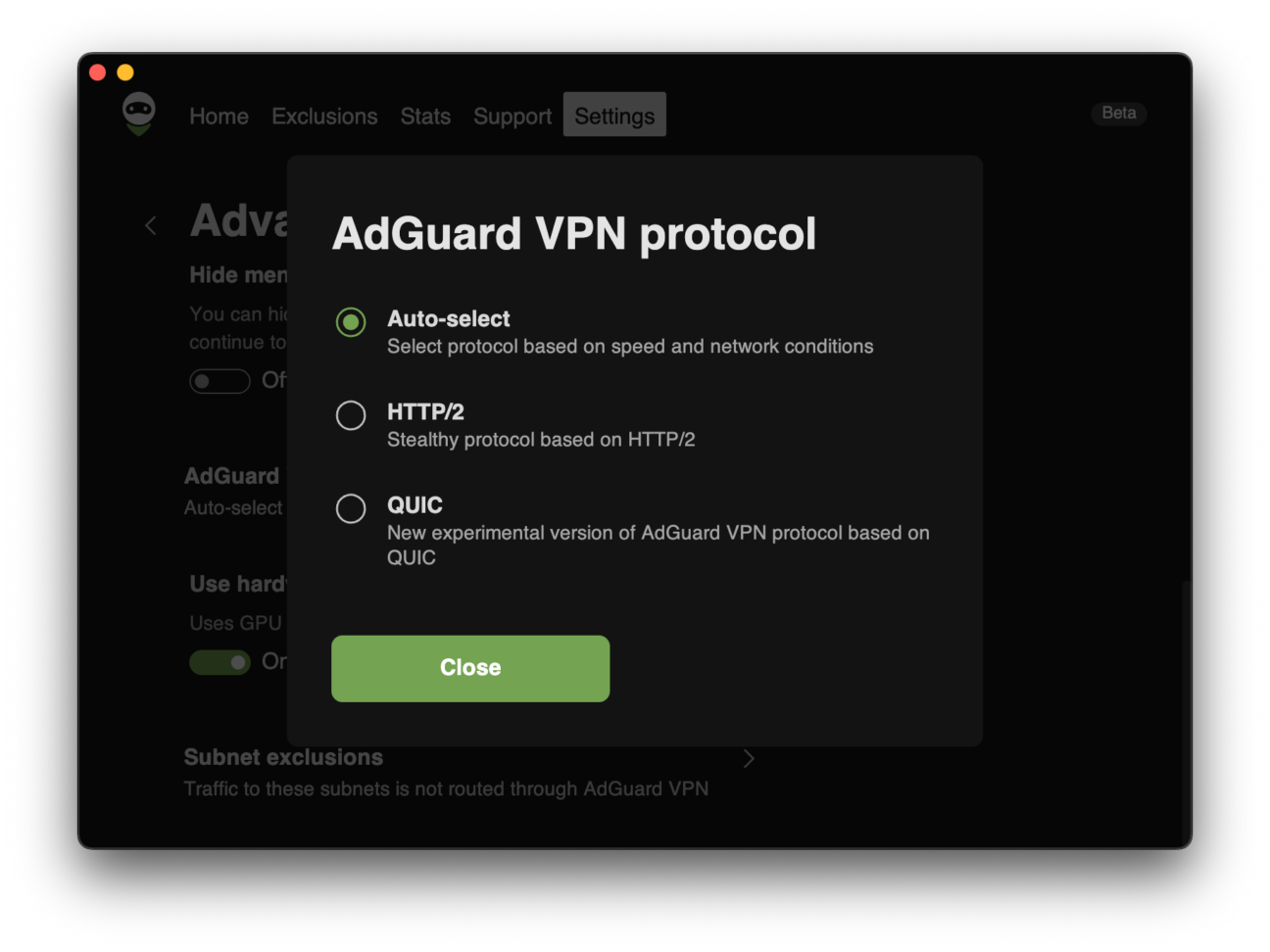
The feature is enabled by default. To check or change it, head to:
Settings → App settings → Advanced settings → AdGuard VPN protocol and select your preferred protocol instead of Auto-select.
With Auto-select turned on, the app seamlessly adapts to network changes, reduces drops, and speeds up downloads, which is especially useful in places where VPN performance is unstable.
Other improvements
Beyond protocol auto-selection, we have also updated the VPN client, improving the overall speed and stability of the app.
Share your thoughts
We’d love to hear your thoughts! Reach out to us on social media or on GitHub.