Age verification firm fined for excessive data retention and invalid consent — a warning sign of a no-privacy era
Yoti, a British age verification company, has recently been fined a total of €950,000 by Spain’s data protection authority (AEPD) for violating the General Data Protection Regulation (GDPR), the EU’s landmark data protection law. The penalties relate to three separate violations: €500,000 for unlawful processing of biometric data, €200,000 for processing data without valid consent, and €250,000 for excessive data retention.
The decision — which Yoti plans to appeal — is striking not because of the total amount of the penalty (it’s nowhere near the record-breaking fines imposed on Big Tech giants like Meta), nor even because of the nature of the violations.
What makes this case genuinely unsettling is the line of work Yoti is in: age verification.
As governments around the world push through laws requiring websites — from adult platforms to mainstream social media — to restrict access based on age, companies like Yoti are rapidly becoming gatekeepers of the internet. They are no longer niche service providers; they are infrastructure.
And that’s exactly why every failure matters more.
When a company tasked with verifying identities at scale mishandles sensitive data, the implications aren’t contained. They multiply. These systems are designed to operate continuously, silently processing millions of checks. If something goes wrong, it doesn’t just affect a handful of users; it has the potential to impact entire populations. And that’s exactly what makes this case so significant.
How does Yoti check identity
Before we go into the thick of it, there's an important nuance to mention. Yoti doesn’t operate in just one way. It offers a variety of identification solutions, starting from simple age estimation checks based on a quick facial scan, to reusable Digital ID credentials you can store and share, all the way to full document-based identity verification. The latest ruling only pertains to one of Yoti’s products — the Yoti app, one of the most fool-proof identity verification methods that YoTi offers.
To get started with the app, you must upload a government-issued ID, such as a passport or a driver’s license. Next, you must take a face scan, which can involve capturing a sequence of images while moving the phone towards your face, or a video in which you’ll need to say a few words to allow for “liveness detection” or “anti-spoofing” checks. This ensures that the face being scanned is a real, live person and not just a photo, video, or mask. The app then compares the face from the selfie to the face on the ID. If the match passes, the system creates a biometric template — a reusable digital fingerprint of your face.
The key difference between some of the other methods and this one is that this template doesn’t disappear after verification. It stays on Yoti’s servers. Yoti keeps it so it can re-identify you later if you log in again, change your PIN, or recover your account. In other words, what starts as a one-time age check quietly becomes a long-term biometric identity system.
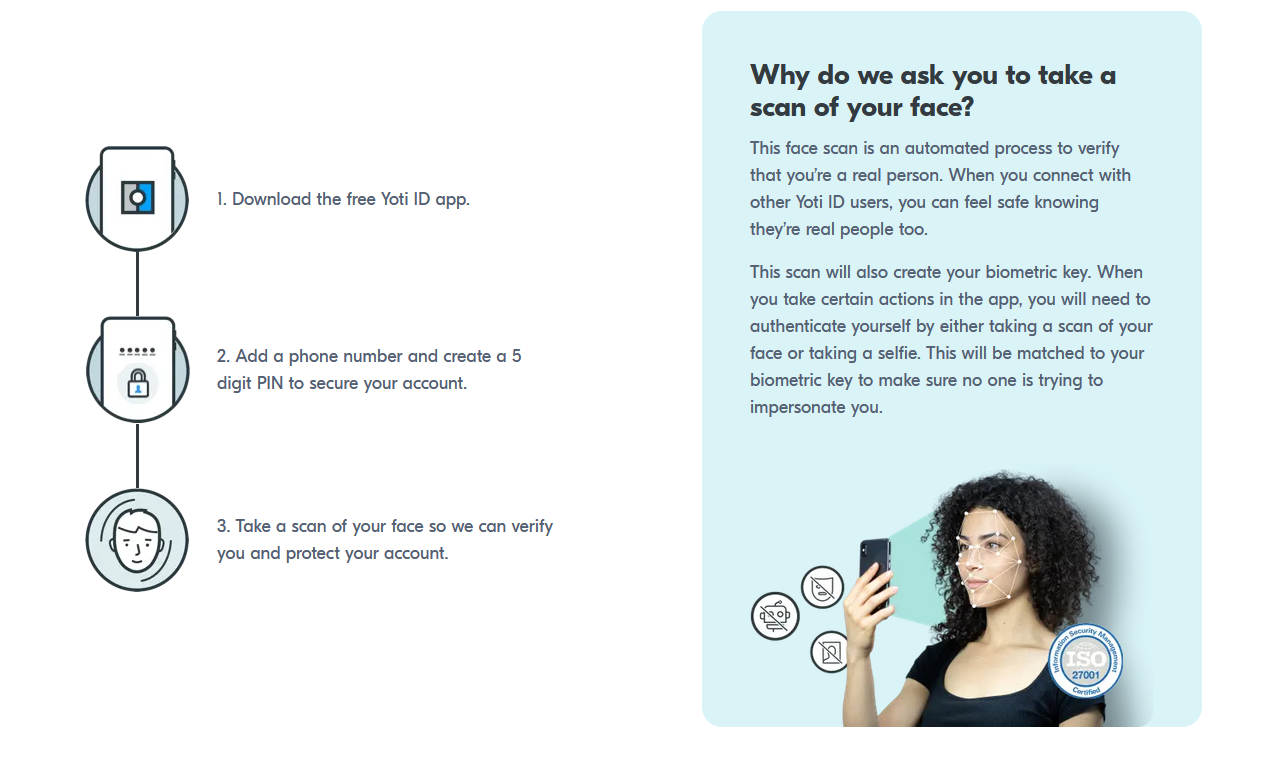
Not every Yoti-processed check requires uploading a passport and taking a selfie, though. Sometimes the system can estimate your age just from a facial scan. In these cases, Yoti acts as a data processor, handling information on behalf of another organization. But when you use the Yoti ID app itself, that changes: Yoti becomes a data controller, deciding what data to collect, why, and for how long to retain it. In simple terms, it’s both the operator and the rule-maker.
However, while the ruling technically applies only to the Yoti ID app, it raises a bigger, more uncomfortable question: if this is how data is handled when Yoti is fully in control, what confidence should users have in the wider ecosystem it powers? Look past the technical details of the Spanish regulator’s decision, and a clear pattern of overstepping comes into focus — not a one-off misstep, but a broader approach that may arguably extend well beyond a single product or feature.
Too much data collection, too little real choice
If you strip away the legal language, Yoti’s violations come down to something very simple: it collected too much sensitive data, gave users too little real choice, and held on to that data for far longer than it should have.
Under the GDPR, Yoti’s app makes the company both a data processor and a data controller, which means it’s held to a higher standard for handling sensitive information — including biometric scans, which the regulator considers special category personal data.
These biometric scans are stored on Yoti’s servers for as long as the account is active and three years after the last activity. Yoti says this is needed to let users change their PIN or recover their account. The regulator argues that keeping this data for years is way more than necessary. In its view, the main purpose — verifying that a real person is in front of the camera — is already fulfilled at account creation. It also points out that PIN changes and account recovery are rare events, so keeping everyone’s biometric data “just in case” amounts to overkill and is disproportionate.
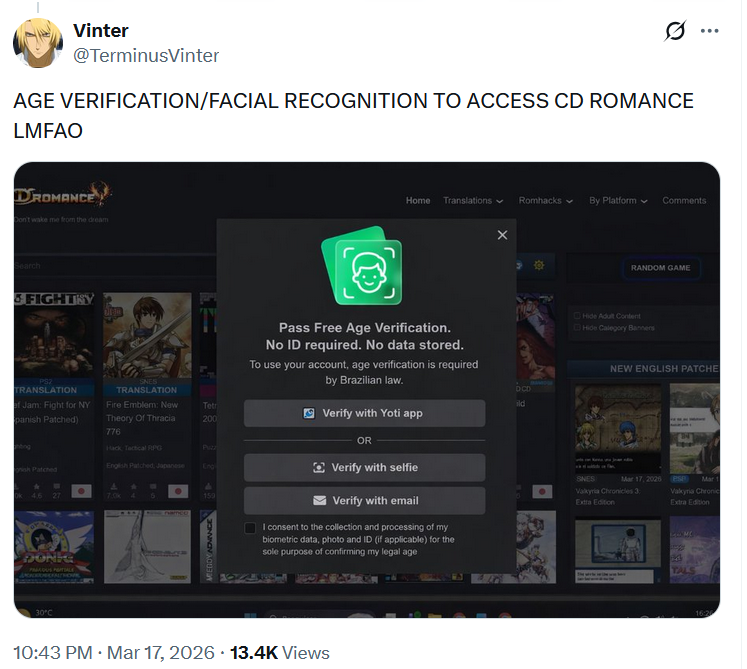
When it comes to user consent, Yoti was accused of employing what sounds like a typical dark pattern. Users are automatically opted in to hand over their biometric data for internal research, unless they actively untick the box. This isn’t small-scale data. It covers facial images, videos, birthdate, gender, document type and a country of issue.
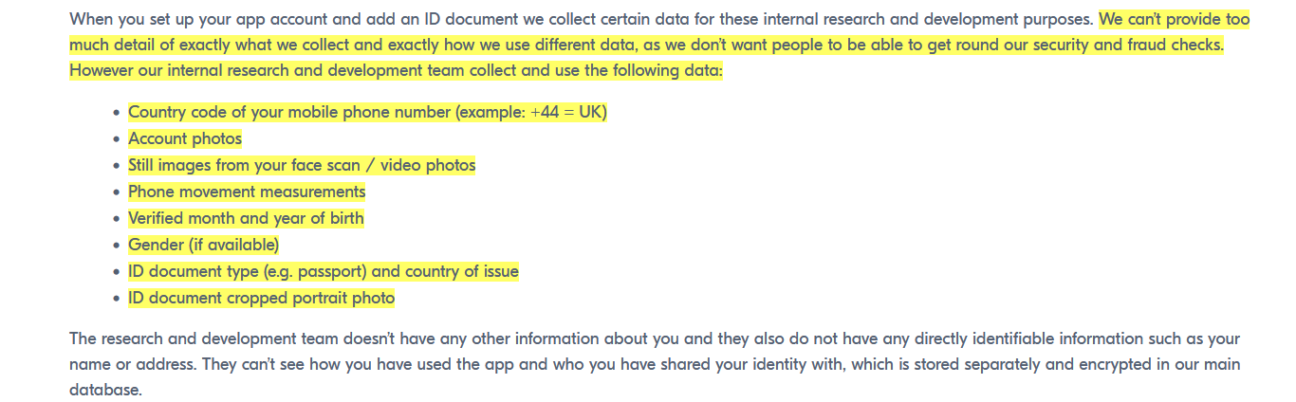
It even also includes estimated race or ethnic origin for bias testing.

In short, users are nudged into sharing a massive amount of sensitive data without a meaningful choice.
One of the other data collection practices the regulator flagged is Yoti collecting and storing geolocation data. This includes your country, state, and even city, and it’s kept for five years. Yoti says it needs this to figure out which local age rules apply to each user. The regulator, however, argues that once the app knows which rules to enforce at account creation, keeping your location data for years on end serves no real purpose, and a five-year retention period sounds like a massive overkill.
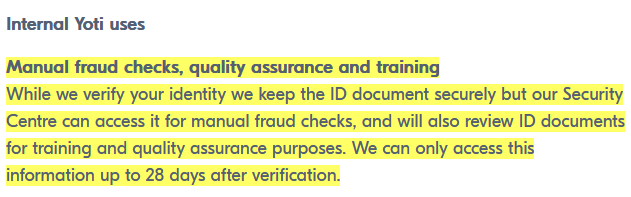
On top of that, Yoti says it can manually review your ID internally for up to 28 days after verification. During this time, staff in their Security Centre in India can manually check your documents for fraud or use them for training. While Yoti keeps the files on its UK servers and calls them “secure,” they must still be viewable by employees to perform these checks, so at this point they cannot be presented in an encrypted form. After the 28-day window, staff access ends, but the documents aren’t necessarily deleted, meaning your sensitive ID can linger further on their system.
This raises obvious privacy concerns. There have been multiple cases where human reviewers for outsourced verification services leaked or mishandled sensitive personal information, including ID documents and biometric data. One high-profile example was Roomba, where contractors exposed private data on Facebook. Even with policies and encryption in place, any human access creates a window for potential misuse, and, suffice to say, Yoti’s setup is no exception.
In response to the ruling, Yoti said it rejects the decision “in the strongest possible terms” and claimed it “takes data protection very seriously”
Yoti as a global blueprint
Yoti is not just another age verification company — it’s one of the industry leaders, and its influence extends far beyond individual apps. According to reporting by Ars Technica, Yoti arguably helped pave the way for new US laws attempting to age-gate the Internet. A March report from Georgia Tech’s Security, Privacy, and Democracy Research Laboratory — described as “the first large-scale exploration of age verification providers” in the US — found that Yoti is the dominant provider, used in over 60 percent of compliant sites in US states where age checks have become mandatory. The report also found that Yoti “often requires end users to share sensitive data — photos of their face, government IDs, credit card details, browser fingerprinting data, the website being accessed, and more. Such data may be entrusted not only to the contracted provider, but also to several “fourth parties” that are significantly less visible to users.”
The company’s reach is staggering: Yoti reportedly runs a million age checks per day, dwarfing competitors like Privately, which handles roughly 100,000 a day at most. When the US Supreme Court ruled last summer that online age verification does not violate the First Amendment, the court relied in part on technical information provided by Yoti.
This dominance shows that Yoti isn’t just a participant in the age verification market — it shapes the rules, sets the technical standards, and quietly expands the footprint of biometric and identity data collection across the internet, making its data-handling practices a concern for millions of users far beyond the UK and Spain.
Implications: A preview of a no-privacy era
This case confirms what privacy advocates have been warning about for years: there is hardly a safe way to build mass-scale age verification on top of sensitive personal data.
Behind the scenes, Yoti doesn’t just verify identities; it repurposes the data to train and refine its systems, sweeping users into research and algorithmic improvements they never actively agreed to. Even after getting stripped of names and addresses, the remaining faces, videos, and ID-derived attributes are permanent and deeply personal.
Regulators may call for minimal collection, limited retention, and avoidance of tracking, but the reality is the opposite — systems like Yoti’s collect more than necessary, store it longer than justified, and reuse it for secondary purposes, all under the guise of “safety” and for the sake of convenience.
Age verification, as currently designed, creates centralized, high-risk data environments that privacy laws were meant to prevent. Yoti is not an outlier, it’s a blueprint. Unless the underlying model changes, it won’t be the last company to overstep these boundaries. This fine isn’t just about one company failing compliance; it’s a warning about an entire system that normalizes biometric surveillance, incentivizes data hoarding, and asks users to trust it blindly that it will all be handled responsibly.













