Why AdGuard VPN? We asked — you answered
There are an estimated 1.6 billion VPN users worldwide, and hundreds of VPN services — plenty of fish in the sea to choose from. If you zoom in on the fish just a little bit, you’ll discover that quite a few companies own multiple VPN brands. So despite the market seemingly teeming with options, only a handful of them are considered reputable, and finding the right one among those can still be overwhelming.
When choosing a VPN, different users weigh different criteria. For some, the number and location of VPN servers are the dealbreakers. For others, it’s all about the protocol, whether it’s open-source, or the VPN’s jurisdiction — specifically, whether it’s based outside of the 14 Eyes countries to avoid potential government data requests.
We were curious about what prompted AdGuard VPN users to choose us and, specifically, what led them to switch to AdGuard VPN from another VPN provider if they did. The responses revealed that our proprietary VPN protocol, which effectively disguises VPN traffic as regular traffic, and the compatibility with the AdGuard Ad Blocker were significant factors.
Big thanks to everyone who took the time to complete our survey — your feedback has been invaluable. We’ve gathered all your responses and are taking your suggestions and feature requests seriously.
What is AdGuard VPN good at: users’ take
Here’s what some of you had to say:
q*****@gmail.com appreciated both the price and how well it works with AdGuard’s ad-blocking app:
[It has a] better price and [has] compatibility with AdGuard app
After switching from NordVPN, they noted that one of the features they appreciate in AdGuard VPN is the ability to choose from different DNS servers.
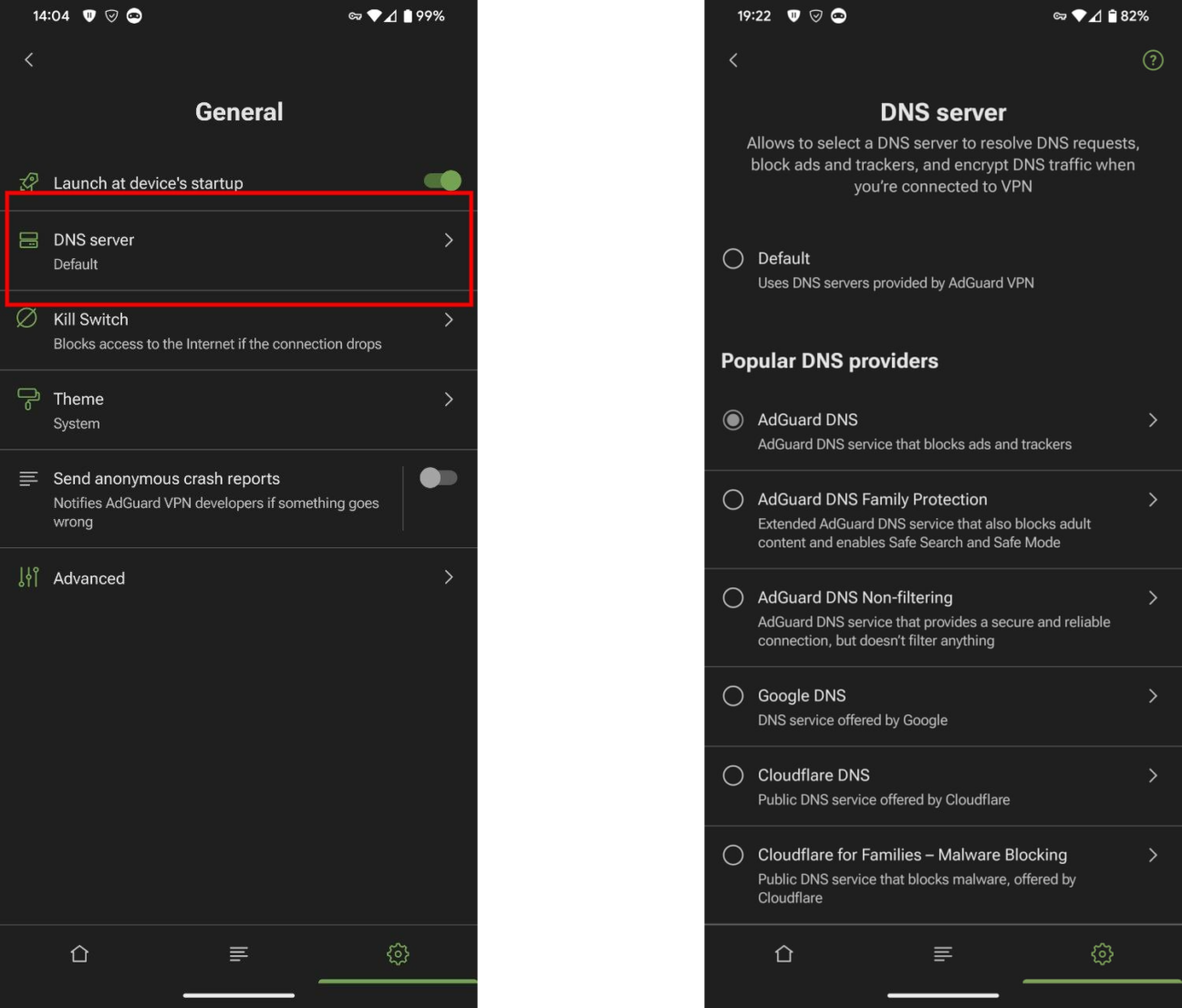
The screenshot illustrates how you change DNS settings in the AdGuard VPN app for Android, but the feature is available through all AdGuard VPN apps
In the AdGuard VPN app settings you can easily change your default DNS server to one of the options available or enter your own custom DNS server.
da******@gmail.com shared that they were happy with AdGuard VPN’s performance:
AdGuard VPN’s protocol is faster in most situations and is rarely detected as a VPN by websites and apps
They appreciated the VPN’s ability to bypass detection on sites like Reddit, which often blocks users with more common VPN protocols like WireGuard and OpenVPN. They said this feature of AdGuard VPN has minimized CAPTCHA challenges and throttling issues that they encountered with other services.
I have even had websites tell me that my connection and requests would be throttled because it was detected that I was using a VPN. I do not have these issues with AdGuard VPN, and I greatly appreciate whatever work was put in to make that the case.
When we tested various AdGuard VPN servers to access Reddit while logged out, we found that the site loaded without issues in over 70% of cases. You can check the partial list of servers here. Please note that server accessibility for Reddit may change over time.
xi*******@duck.com also found the integration with the AdGuard app to be a major benefit:
I read that AdGuard VPN works well with AdGuard app on desktop and mobile (I already had AdGuard on both)
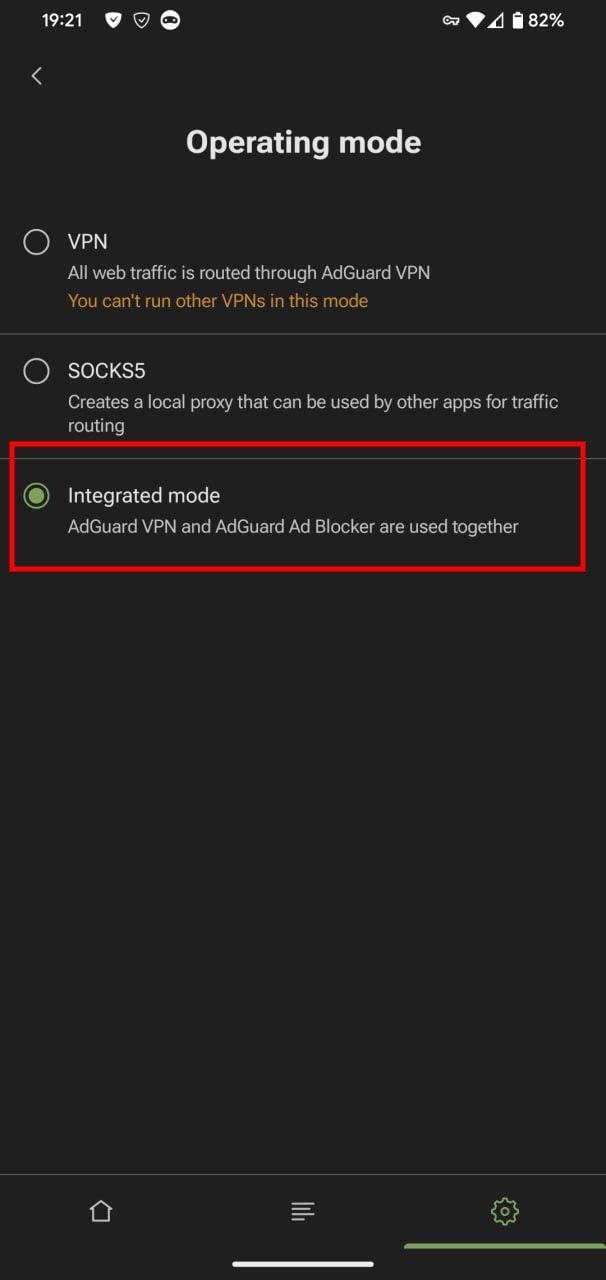
They elaborated on how AdGuard VPN and the AdGuard Ad Blocker app complement each other, noting that this combination allows them to effectively block ads while still using the Filtering log tool to monitor and manage blocked content. Filtering log provides insights into which ads and trackers have been filtered out, including the blocked requests and notifications. The user also appreciated the AdGuard VPN app’s integration with macOS, which they said makes changing settings more convenient.
haw*********@gmail.com also reported a notable improvement in ad blocking once they switched to AdGuard VPN. They said they had been with ProtonVPN before switching and were impressed by how well the combined system worked.
I liked Proton VPN but I wanted an integrated system with the AdGuard program. Together AdGuard and AdGuard VPN have completely eliminated the many Pop-up ads. It astounded me to see all the ads GONE!
Our long-time user jame*******@hotmail.com appreciated our efforts to improve based on user feedback. We’re trying to and listen to all of your requests and suggestions, even though we may not be implementing them right away.
Because you were prepared to onboard some of my suggestions [and] you tried to improve [things] — some worked, some did not — you have been generous with your time.
str***************@icloud.com, who switched from Hotspot Shield, praised AdGuard VPN’s overall quality and functionality:
Better product, better functionality, safer
Areas for improvement and addressing your concerns
We’ve also received suggestions from you on how to improve our service, and concerns that we want to address. Here are some of the most common requests and our responses to them:
One suggestion we received is for a feature that routes the VPN connection through more than one VPN server and only through servers in countries with highly-protective privacy/data laws. While we understand the appeal of this feature, we currently do not plan to implement it. This is because it significantly reduces connection speed without providing substantial privacy benefits. Therefore we believe this feature is not essential at this time, but we may revisit it in the future.
Another request is for a setting that permits LAN connections to bypass the VPN (printers, gaming consoles, network computers, etc.) and a setting that moderates NAT to allow peer-to-peer applications like online games to establish direct connections. We like this feature and recognize its utility. However, only a relatively small portion of our user base would benefit from it. Currently, we are focused on addressing more widespread user requests, but we definitely want to add this feature in the future.
Some users have asked for the ability to choose a profile for connections. Depending on the profile, the connection would either be to the fastest server or to a random server for better security/privacy. We already have this feature in our browser extension. We are currently testing it and plan to roll it out to other platforms soon.
One of the concerns that we’ve seen users repeatedly expressing over the years is that AdGuard VPN protocol is not open-source. On the other hand, there are also concerns that if we do make the protocol open-source, then it will be easy to detect it or throttle it.
For our part, we are confident that making our protocol open-source will not lead to these issues. On the contrary, we believe it will help the entire industry develop better solutions for accessing information. It’s our goal to make the protocol open-source by the end of this year.



































