Don't get caught in the botnet: The risks of free VPNs
If something is free, it’s likely to come with strings attached. This holds true for VPNs (or Virtual Private Networks), which you can use for bypassing geo-restrictions, keeping your internet provider from snooping on your online activity, and protecting your information from being intercepted when you're connected to public Wi-Fi.
Free VPNs are readily available, with hundreds of options to choose from. But here’s the catch: to stay free, they need to offset the costs. They normally do so by selling off or “sharing” your data with whoever’s willing to pay for it. A probably less common, but even more sinister scenario is they can rope you into some shady stuff like being part of a cybercrime network, which has happened to the users of MaskVPN, DewVPN, PaladinVPN, ProxyGate, ShieldVPN, and ShineVPN, according to the FBI.
The FBI revealed last week that these VPNs were part of the 911 S5 residential proxy service and botnet. The botnet was launched in 2014 and was taken offline in July 2022. It was “reconstituted” as Cloudrouter in October last year. The alleged mastermind behind the botnet, Chinese national YunHe Wang, was arrested in Singapore in a joint US-Signaporian effort nicknamed Operation Tunnel Rat.
The botnet — described by the US government as probably the biggest ever — was linked to over 19 million compromised IP addresses spanning 190 countries. The infected computers running Windows OS were rented out to bad actors, giving them the tools to pull off all sorts of cybercrimes, from identity theft and large-scale financial fraud to child exploitation, bomb threats, and cyber attacks. Throughout all this, the owners of the devices had zero clue that their computers were being hijacked to facilitate criminal activities.
‘This website has been seized’
In its public advisory, the FBI urged users to look for the following processes that might be running on their computers:
- MaskVPN (mask_svc.exe)
- DewVPN (dew_svc.exe)
- PaladinVPN (pldsvc.exe)
- ProxyGate (proxygate.exe, cloud.exe)
- ShieldVPN (shieldsvc.exe)
- ShineVPN (shsvc.exe)
and remove corresponding apps by following detailed instructions they have provided.
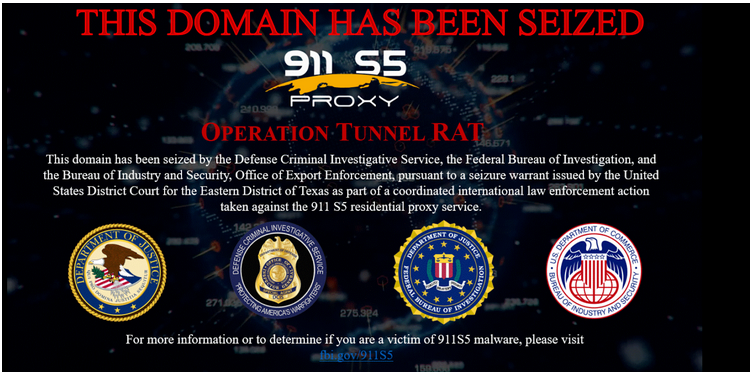
A Google search for PaladinVPN, one of the malicious apps named in the report, reveals that the website had been seized by the law enforcement.

Clicking on the link leads to a full-screen message announcing that the domain has been seized as part of Operation Tunnel Rat. It also encourages users to check the official FBI statement to determine if they have become victims of the malware.
Before it was seized by the government, PaladinVPN’s website looked just like your normal VPN website, promising a “100% no-log data policy” and all the perks of a premium VPN for no additional cost. “Enjoy all paid VPN features with a free VPN”, its website declared — already a major red flag.
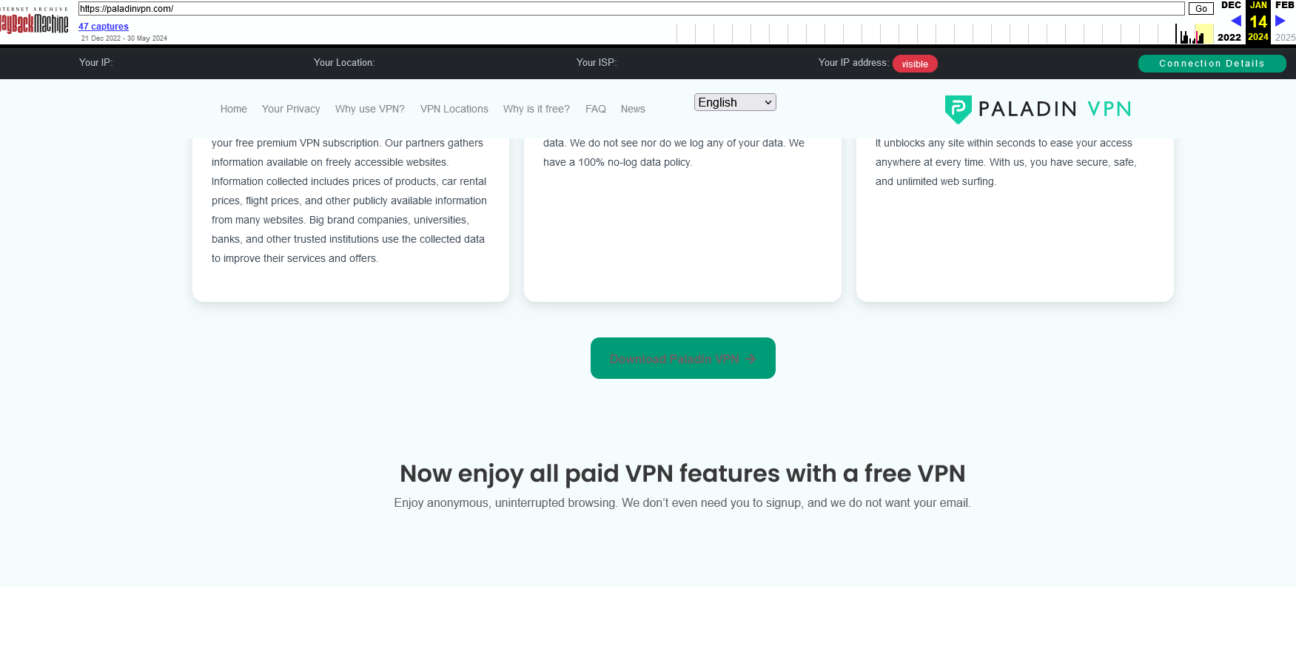
A screenshot of the PaladinVPN website from February 2024 retrieved through WaybackMachine.
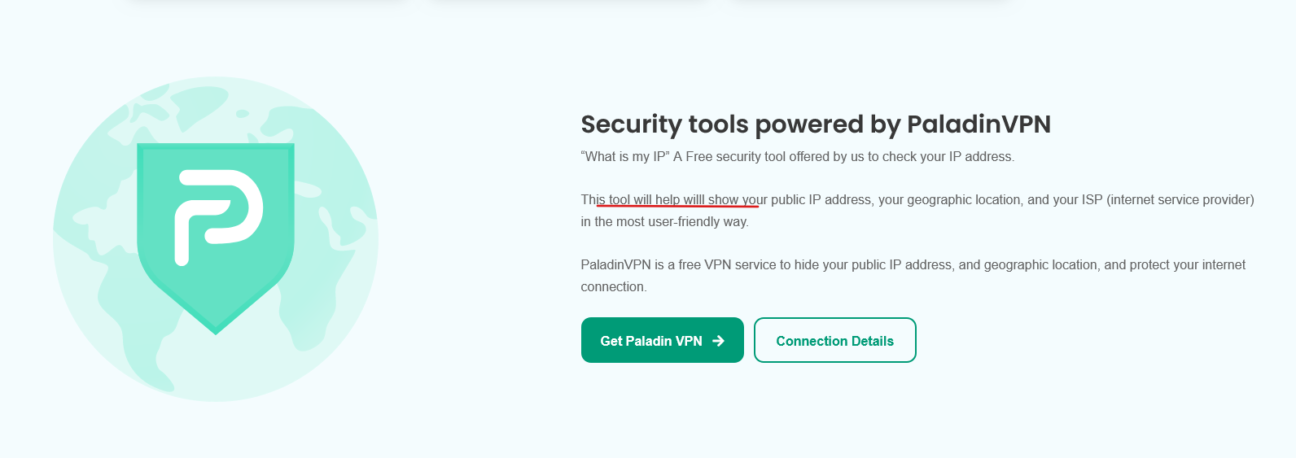
Although the website does look like your generic VPN website, it seems that little attention was given to its development. A discerning reader may spot typos already on the frontpage (we are not saying that typos are a definitive indicator that a VPN is not legit, no one is infallible, however they are not a good sign)
Probably the promise of a “free premium VPN subscription,” which is practically oxymoron in itself (after all, it’s called “premium” for a reason), should raise even more red flags.
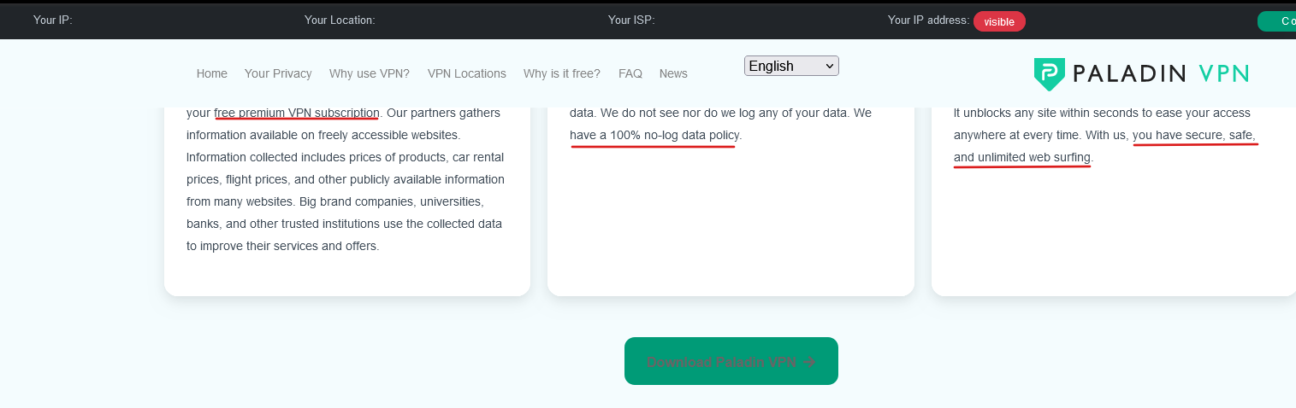
But while there are visual signs that the VPN might be shady, it’s easy to be smart after the fact. However, promises that seem too good to be true should make you suspicious and at least prompt you to check the reviews (not on the website itself, as they are likely to be curated) and conduct an internet search. After all, you’re entrusting your data and privacy to this tool, and it’s always better to err on the side of caution, even if it seems too much hassle at the moment.
FBI’s tip on how to protect yourself: avoid ads and free VPNs
Following the operation, the FBI has issued a list of recommendations aimed at helping people avoid falling victim to botnets like these or having their devices compromised in any other way. At the top of the list is to steer clear of “untrustworthy ads” and refrain from downloading free software such as questionable VPNs. We’d like to add: since there’s no way to really know whether a particular ad is trustworthy or not by just looking at it, it’s best to avoid clicking on them, period. Better safe than sorry. Alternatively, you can prevent them from appearing altogether by blocking them. In its earlier advisory, the FBI suggested installing ad blockers as one of the ways to fight malicious ads, like those that prompt users to download malware-laced software. This feature to block such ads is available across all AdGuard apps, including AdGuard for Windows, and extensions. Ensure that blocking search ads and promotions is enabled in your settings.
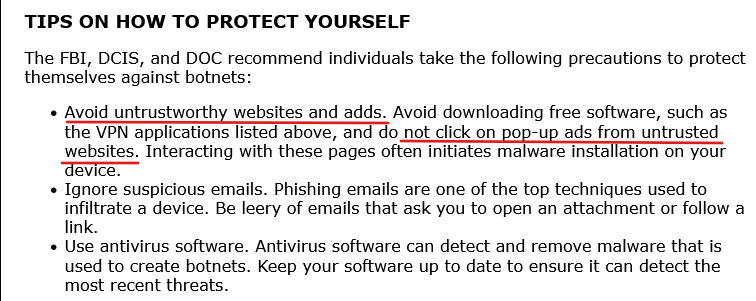
FBI recommendations as to how protect yourself from malware
Other recommendations include not clicking on any links in suspicious emails and using antivirus software. That is in addition to making sure your software is updated to stop cybercriminals from exploiting vulnerabilities.
In conclusion, while free VPNs are tempting propositions, especially if you don’t need them on a daily basis, the risks they pose far outweigh any potential benefits. By skimping on a reputable VPN, you could be unwittingly handing over your data to some shady third parties and even becoming a pawn in a criminal botnet. Don’t be fooled by promises of “free premium” services — true security requires investment. We know this firsthand.
In case you’re not ready to spend on a VPN, you’d be better off ditching an obscure free VPN extension or an app for a free tier of an established VPN vendor. It may come with restrictions, but it will offer the same security and privacy benefits as premium tiers. A free tier is unlikely to have unlimited bandwidth and as many server locations, but it’s far less likely to be glitchy, buggy, and riddled by security holes. AdGuard VPN has a free tier with limited data for budget-conscious users, and a premium plan with more server locations and unlimited bandwidth for those who want to have more than 3GB a month at their disposal.













