Partial AdGuard VPN outage on November 22, 2023
On November 22, 2023, there was a disruption in the AdGuard VPN service that may have caused Internet access issues for a significant number of users. Primarily affected were users in locations such as Frankfurt, Amsterdam, London, and Dallas. We apologize for this outage and would like to provide more information about its causes and the steps we are taking to prevent such issues in the future.
It's always DNS
By default, AdGuard VPN users use AdGuard DNS Non-Filtering as their DNS server.
Why do we do this? The goal is to make you 'less noticeable' among Internet users. Normally, VPN services use the same VPN server as your DNS server. We believe this is not the best tactic, and matching your IP address with your DNS server's address can be a signal of using a VPN. By using a popular public DNS server (such as AdGuard DNS), you are sharing the same server as tens or hundreds of millions of other Internet users.
AdGuard DNS employs rate limiting to restrict the number of requests a user can send to the DNS server. This is a standard tactic to prevent DNS amplification (i.e., using a public DNS server to perform DDOS attacks on a third party). The rate limit is quite low, and some popular AdGuard VPN locations generate more requests than allowed. To work around this problem, we remove the rate limit for VPN servers. AdGuard DNS servers periodically request an updated list of IP addresses for which the rate limit should be disabled. This list is formed by a management service that knows all the IP addresses of all the VPN servers.
On November 22 at 9:14 UTC, a new version of the management service was deployed that contained an error. Due to this mistake, only part of the VPN server addresses were included in the allowed list. The 'busiest' locations (such as Frankfurt and Amsterdam) were immediately limited, and users faced Internet access issues.
The problem was exacerbated by several factors that delayed our understanding of what was happening. Firstly, there were no problems observed in smaller locations. Secondly, users did not immediately realize the nature of their problem. DNS query results are cached by the operating system, so everything seems to work fine for a while, and then a small portion of domains become inaccessible. Some might not have noticed the issue at all.
Finally, to our embarrassment, we had not set up automatic notifications for an increase in the number of DNS errors. Had we noticed this in time, the resolution time would have been significantly shorter. Below, you can see how much more DNS errors were registered in the system during the outage.
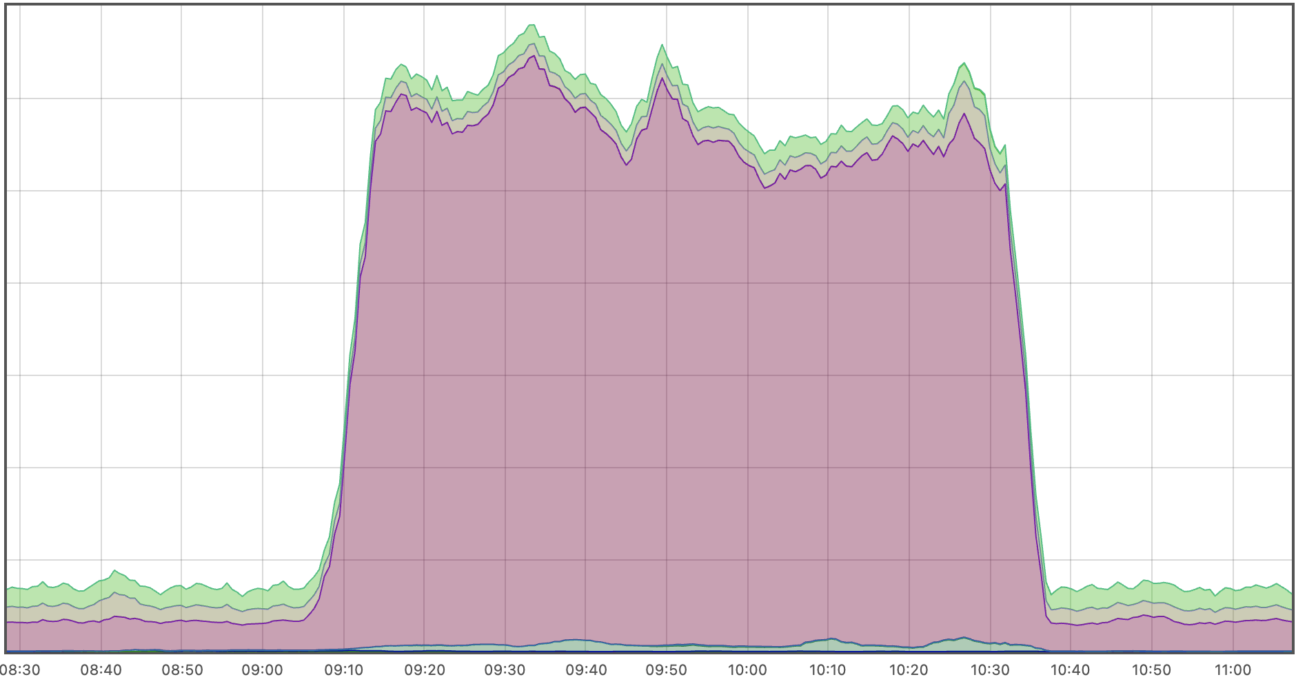
Incident timeline
9:14 UTC: Deployment of the management service fails.
9:30-9:40 UTC: We start getting the first individual complaints from users.
9:40-10:00 UTC: Investigating and searching for the source of the problem.
10:00-10:20 UTC: Preparing a fix in the management service.
10:20-10:30 UTC: Deploying the new version of the management service.
10:30-10:35 UTC: Restart of AdGuard DNS
Follow-up steps
To prevent similar problems in the future, we are taking the following steps:
- Automated notifications for increased DNS errors on VPN servers are now set up.
- Separate automated tests to check the creation of the exception list for DNS rate limiting have been added to the management service test suite.













