How to set up AdGuard VPN automation for iPhone and iPad apps
When creating AdGuard VPN, we tried to make it as convenient as possible for every user. That's why our VPN app has an Exclusions section and two operation modes – General and Selective. In General mode AdGuard VPN works everywhere except sites added to exclusions. Conversely, in Selective mode, VPN doesn't work anywhere except sites listed in the exclusions list. Note, that for each mode you must create a separate list.
As you may notice, only websites can be added to the Exclusions section. “And how can I adjust AdGuard VPN for apps?” you might ask. For this purpose, our desktop apps have the Split tunneling module and the app for Android has Apps settings — these settings allow you to decide in which apps AdGuard VPN should run.
But, as it often happens, due to a number of technical nuances, it is impossible to implement such a useful function for iOS, at least for now. Therefore, we offer you an alternative way to automate AdGuard VPN for apps on iPhones and iPads.
Setting up AdGuard VPN automatic activation
If you need a VPN for one or more apps, set up AdGuard VPN on your iOS device to automatically turn on and off for them. Go to the Exclusions tab, select General mode and follow the instructions. Here we describe how to create automation for Twitter, but you can choose any other app.
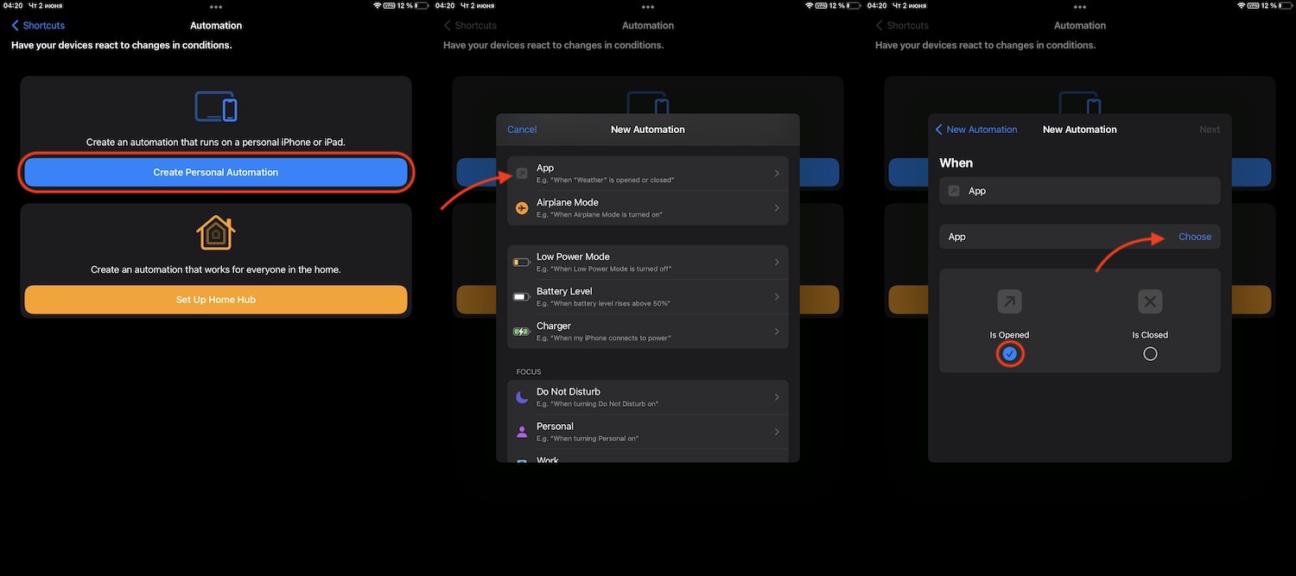
- Download the Shortcuts app from the App Store and go to the Automation section by tapping the clock icon at the bottom of the screen.
- Tap the Create Personal Automation button, then find App in the list that opens and tap it.
- In the next window, make sure that the Is Opened option is selected, and then tap Choose to choose the app.
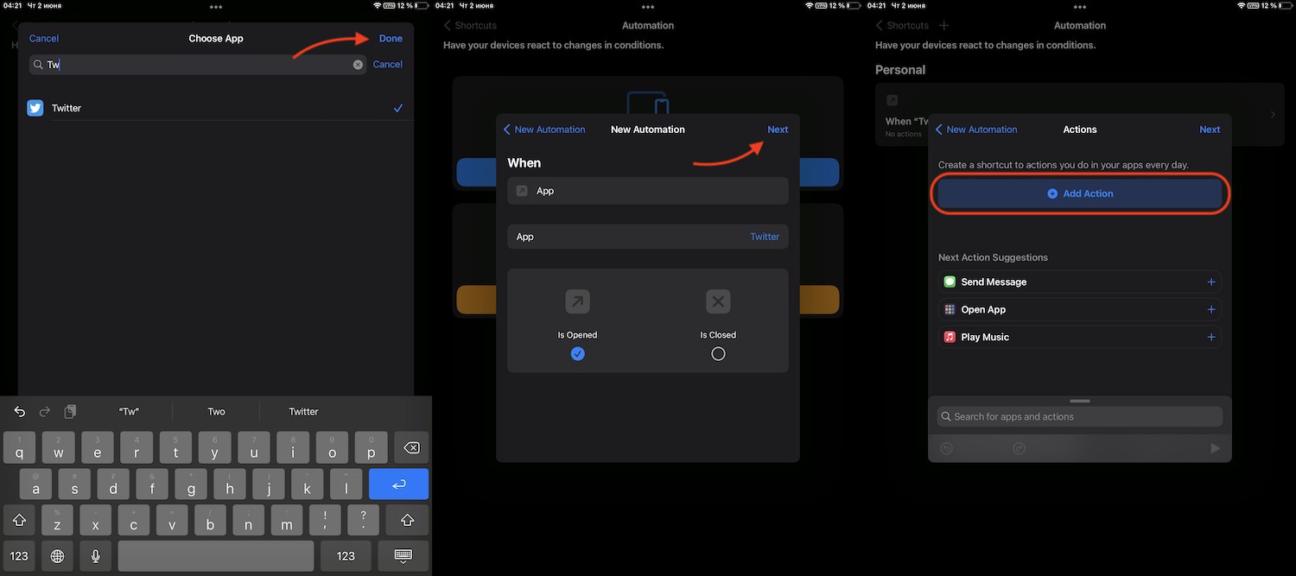
- Start entering the name of the application, in our case it's Twitter, and select it. Then tap Done in the upper right corner of the screen. After it tap Next in the upper right corner of the screen. And in the opened window tap Add Action.
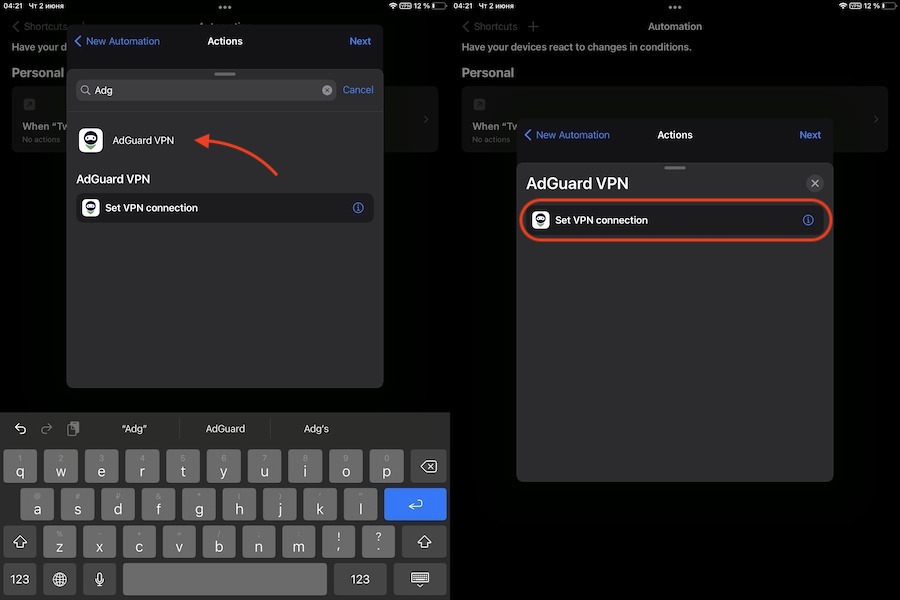
- Start entering “AdGuard VPN” and select the AdGuard VPN app. In the new window tap Set a VPN connection.
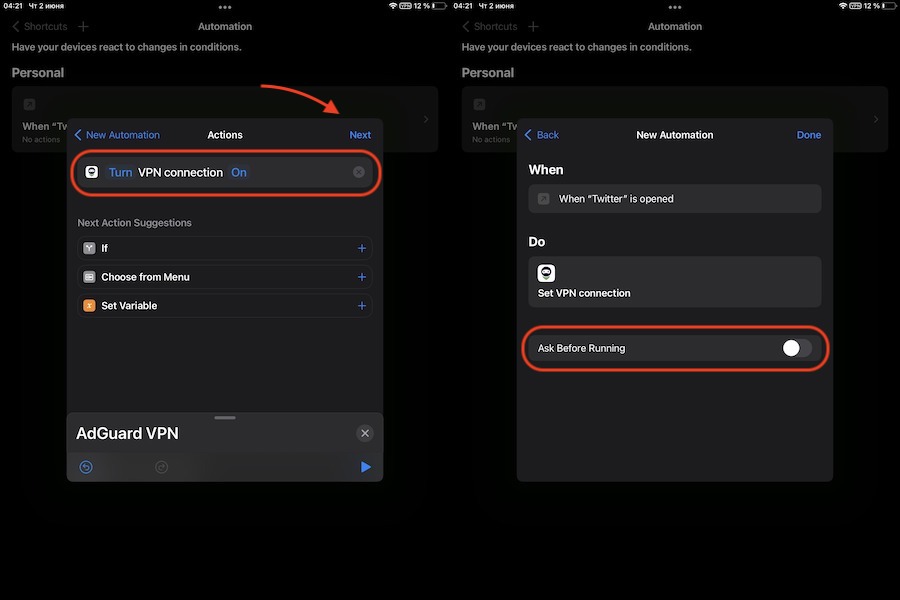
- Make sure the variables say Turn VPN connection On and tap Next.
- In the next window, move the slider next to the Ask before running option to the inactive position. Confirm your choice, the tap Done.
Now you have a new scenario: AdGuard VPN will be automatically enabled when you start the Twitter app. Now you need to create another command that will make AdGuard VPN automatically turn off when you close the app.
Configuring AdGuard VPN automatic shutdown
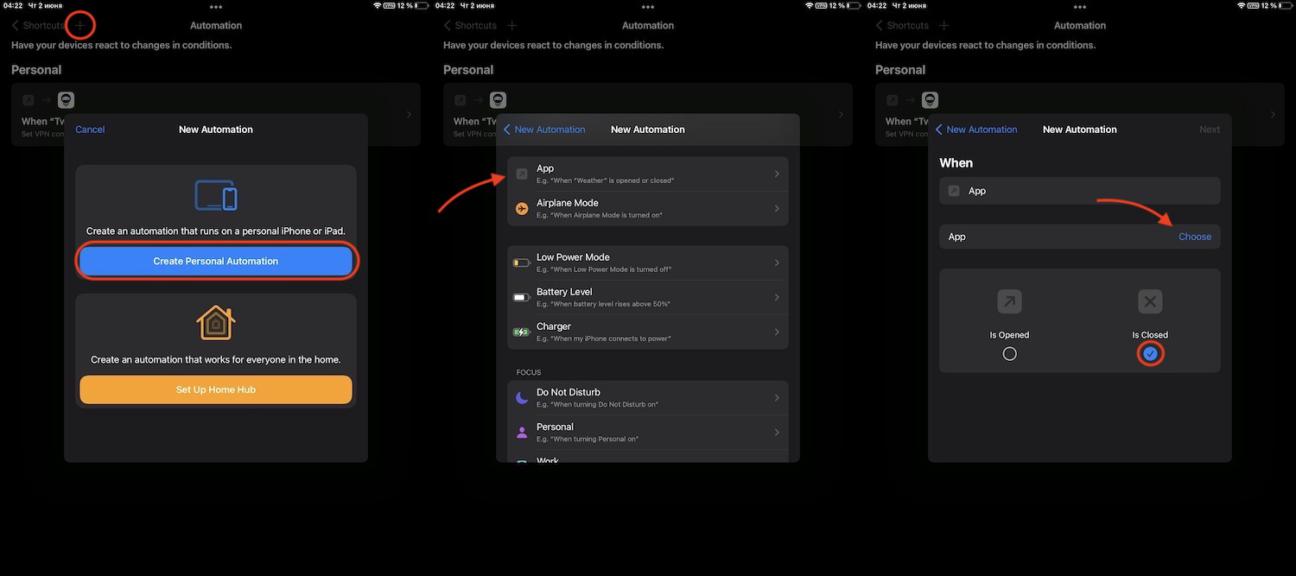
- In the same Shortcuts app start creating a new automation: click + in the upper right corner of the screen and then on the Create Personal Automation button. In the opened window choose App.
- Make sure that the Is Closed option is selected and uncheck the box under the adjacent option. Then tap Choose.
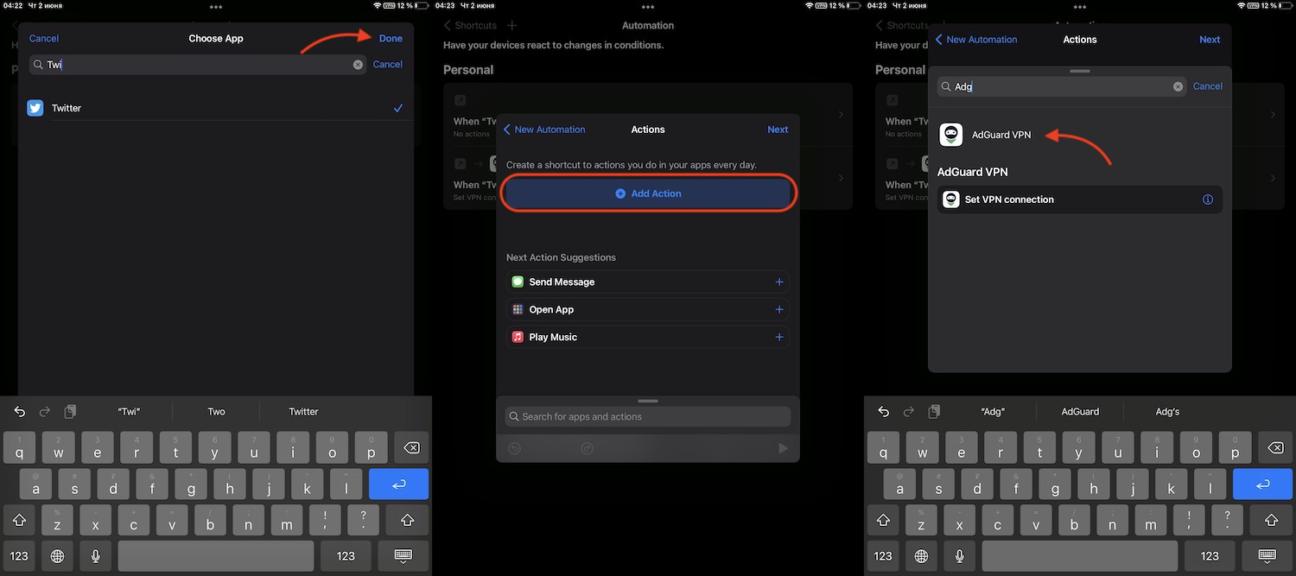
- Start entering Twitter and select the app. Then tap Done in the upper right corner of the screen. Tap Add Action and select AdGuard VPN.
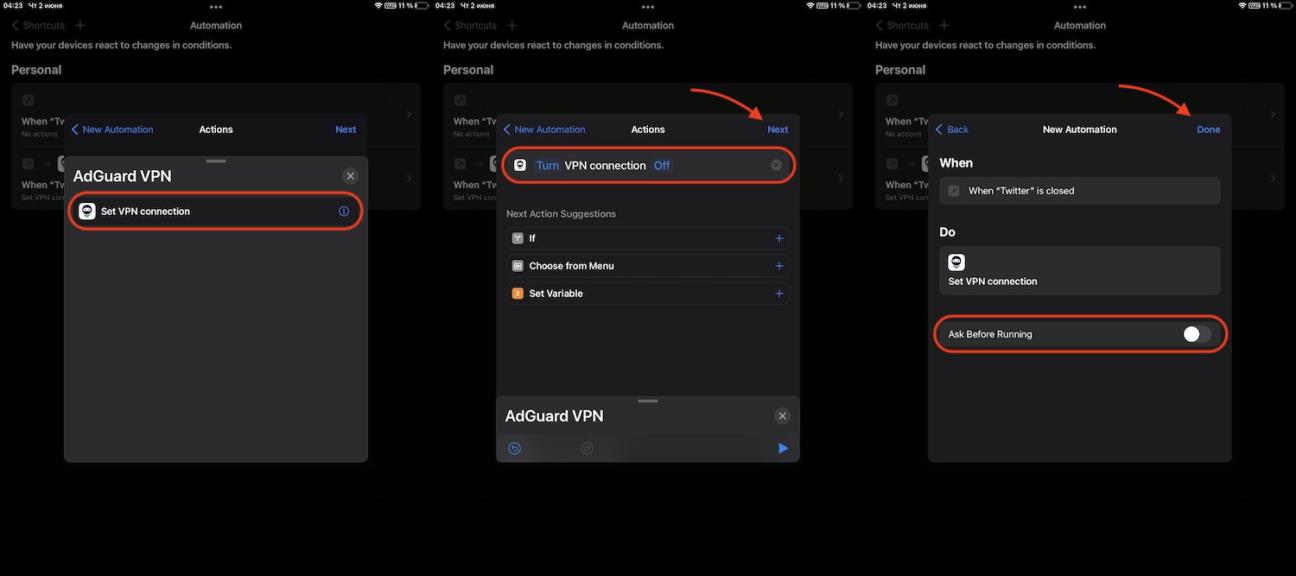
- In the new window tap Set VPN connection.
- Then tap the word On so that it changes to the word Off, then tap Next in the upper right corner of the screen.
- Disable the Ask before running option and confirm your selection. Then tap Done at the top right corner of the screen to complete the process
Congrats! AdGuard VPN will now be enabled on your device every time you open the Twitter app, and disabled when you close it. You can repeat the same steps for any other app.



































