AdGuard VPN
for Mac
version 2.8.2
from December 12, 2025
Here’s an additional technical update following the previous one. In it, we’ve fixed bugs and kept working on the app stability.
AdGuard VPN
for Mac
version 2.8.1
from November 12, 2025
Online privacy is cool and all, but have you ever updated to a new version after the previous one just crashed with no explanation? Well, you have a chance to experience that.
AdGuard VPN
for Mac
version 2.8
from November 11, 2025
This version brings important under-the-hood improvements, including an updated VPN client that boosts connection stability, speed, and overall performance.
We’re also preparing AdGuard VPN for Mac to be available on the Mac App Store. To meet Apple’s requirements, we’ve started adapting the app to use the Packet Tunnel Network Extension — Apple’s system framework for managing VPN connections on macOS. You won’t notice these changes right away, but they lay the groundwork for future updates.
Changelog
VPN client (AdGuard VPN protocol implementation)
VPN client updated to v0.18.38 #434
AdGuard VPN
for Mac
version 2.7
from September 8, 2025
AdGuard VPN for Mac now has dynamic VPN protocol selection — a feature that automatically picks the fastest and most stable protocol (HTTP2/TLS or HTTP3/QUIC) for your connection. This improves VPN speed and stability, which is particularly helpful in regions where VPN usage is restricted or unreliable.
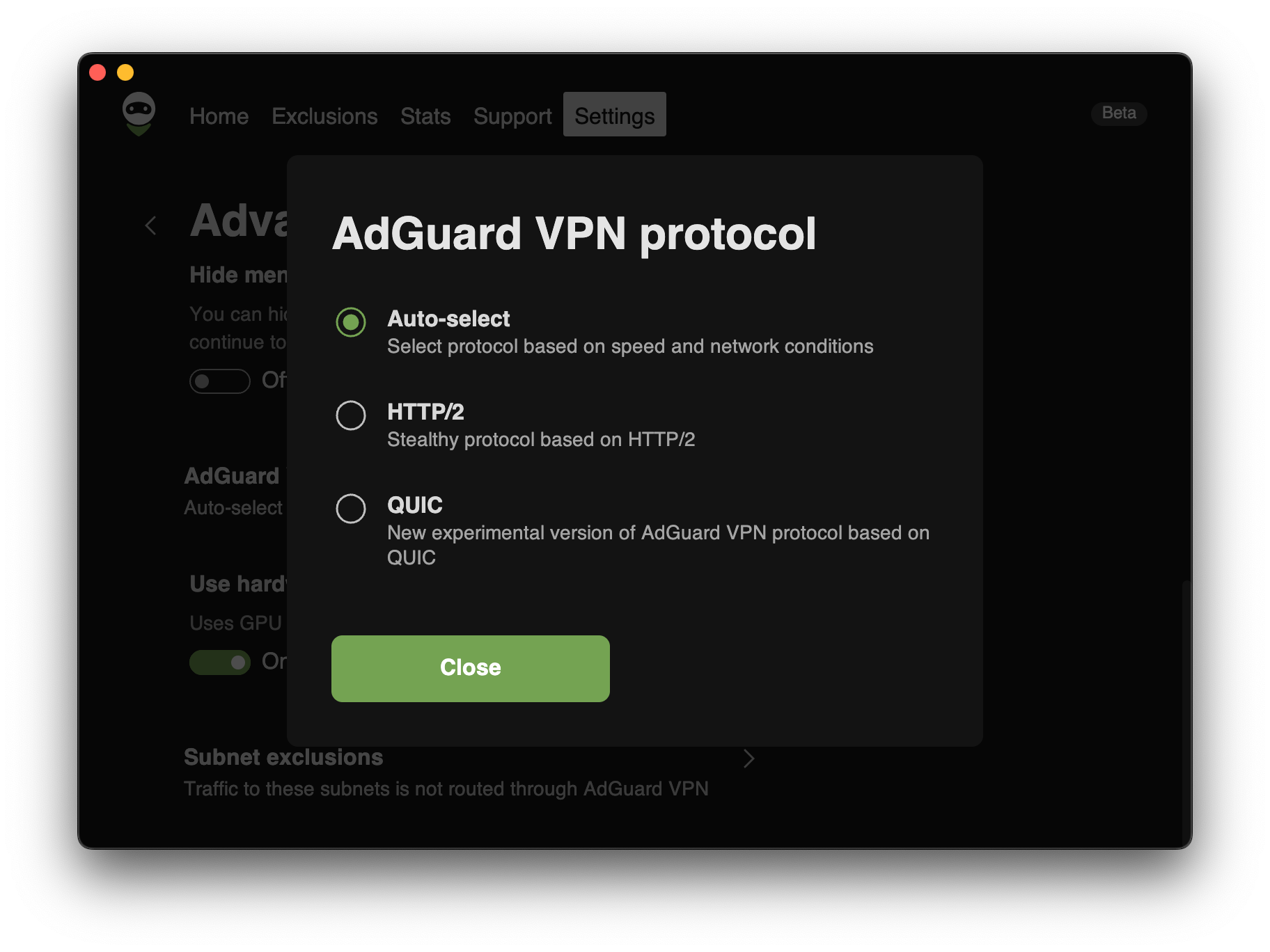
This option is enabled by default. To change it, open Settings → App settings → Advanced settings → AdGuard VPN protocol and select your preferred protocol instead of Auto-select.
We’ve also updated the VPN client, making the app more stable and reliable overall.
Changelog
VPN client (AdGuard VPN protocol implementation)
Updated VPN client to v0.17.4 #418
AdGuard VPN
for Mac
version 2.6.2
from July 23, 2025
Online privacy is cool and all, but have you ever updated to a new version after the previous one just crashed with no explanation? Well, you have a chance to experience that.
VPN client (AdGuard VPN protocol implementation)
VPN client updated to v0.16.48 #417
AdGuard VPN
for Mac
version 2.6.1
from July 17, 2025
This is a technical update aimed to increase the app stability and fix minor bugs.
VPN client (AdGuard VPN protocol implementation)
VPN client updated to v0.16.41 #413
AdGuard VPN
for Mac
version 2.6
from June 19, 2025
We’ve all been there: you reboot your computer, expecting a fresh start, but instead face a parade of apps restarting. AdGuard VPN now offers a cleaner startup with the new Open main window at system startup toggle. If you switch it off, the app will still run in the background maintaining full protection without interruptions.

To check the new settings, go to Settings → System startup → Open main window at system startup. This feature is part of our ongoing effort to adapt AdGuard VPN to you, not the other way around.
This release also includes VPN client optimizations and minor stability fixes. Now our VPN handles network interference more effectively, keeping your connection stable when it matters most.
Note: Starting with version 2.6, the minimum supported macOS is 11 Big Sur.
Changelog
Fixes
AdGuard VPN utilizes GPU acceleration even when the Use hardware accelerator option is disabled #375
VPN client (AdGuard VPN protocol implementation)
VPN client updated to v0.16.37 #406
AdGuard VPN
for Mac
version 2.5.1
from March 6, 2025
The version 2.5.1 brings post-quantum cryptography to AdGuard VPN for Mac. Sounds impressive, but what does that actually mean?
If you’ve been keeping up with the latest AdGuard releases, you may have noticed that we’ve been gradually adding post-quantum cryptography to our products. If this concept is new to you, don’t worry, it’s not science fiction (though it does sound cool enough to be in a blockbuster movie). It’s actually a powerful feature that adds an extra level of security to your browsing.
Here’s the deal: when you use a VPN, protecting your traffic is critical. At AdGuard, we go the extra mile to encrypt your data so you can stay anonymous and your browsing habits remain your business. Post-quantum cryptography takes this to the next level, ensuring that even the most advanced quantum computers won’t stand a chance at decrypting your traffic.
Changelog
Fixes
Saved locations tab opens after launch #373
AdGuard VPN quits unexpectedly on macOS X Catalina #367
GPU accelerator is used when “Use hardware acceleration” is disabled #375
Chrome exclusion randomly stops working #391
VPN client (AdGuard VPN protocol implementation)
VPN client updated to v0.15.36 #390
AdGuard VPN
for Mac
version 2.5
from December 23, 2024
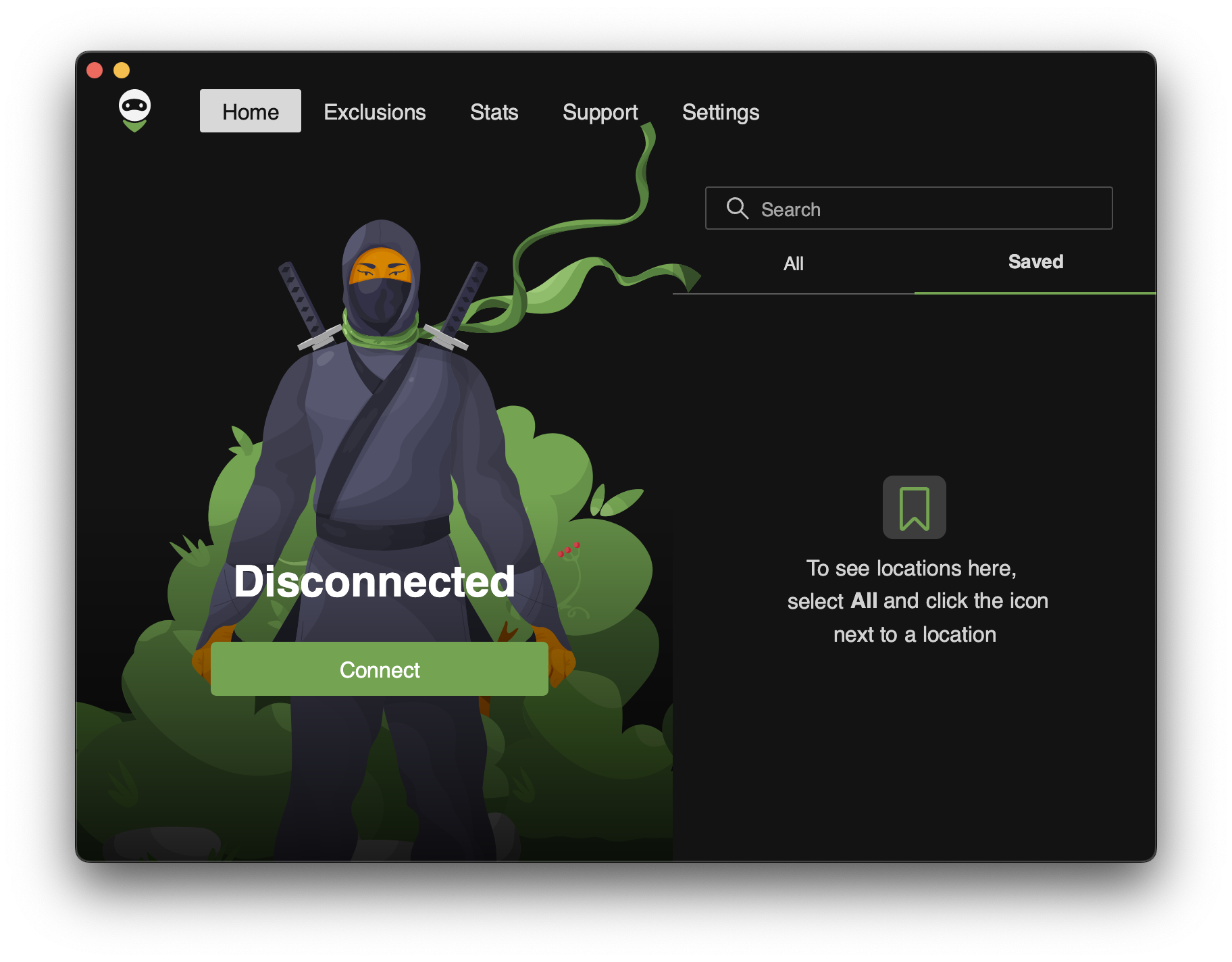
Some wanted it, some gave up on it, some didn’t believe we could do it, but here it is, AdGuard VPN for Mac finally introduces Saved locations.
If you regularly need to connect to a specific location — maybe for work, or maybe to watch a Netflix show that’s not available in your country, or maybe you’re just used to a certain country — now you can have it at your fingertips.
To save a location, hover your mouse over it and click the bookmark icon. Marked locations will appear in the Saved tab.
To make AdGuard VPN more widely available, we have added support for the Belarusian and Macedonian languages. And to ensure your connection remains fast, stable and secure, we’ve updated the VPN protocol.
Changelog
Improvements
Added new languages to the app #331
VPN client (AdGuard VPN protocol implementation)
VPN client updated to v0.14.43 #365
AdGuard VPN
for Mac
version 2.4.1
from November 11, 2024
This release is part of a series of AdGuard updates focused on web login. Now, if you need to log in to AdGuard VPN for Mac, you’ll be redirected to your browser where you can log in to the app and to your AdGuard account.

We understand this might feel unfamiliar at first, but here are the benefits of it:
It makes it easier for us to maintain the service, and it is a key to reducing issues, allowing us to identify and resolve problems faster and more efficiently.
Now you can use the password manager and enable autocomplete in your browser to make the login process faster.
We’ve added the Use one-time code instead option. If you don’t want to use your password or you forgot it, we will email you a temporary code to log in to the app. It’s just as secure, but without the need to remember anything.

Changelog
VPN client (AdGuard VPN protocol implementation)
VPN client updated to v0.14.36 #358